
WhatsApp GPT Bot: How to Use ChatGPT Inside WhatsApp (2026)
A WhatsApp GPT bot that puts ChatGPT-level AI inside your WhatsApp — replying to clients, reading files, and running your calendar from one chat.
You already use ChatGPT to draft emails, brainstorm, and summarize documents. The friction is that it lives in a separate app, detached from where your actual conversations happen. A WhatsApp GPT bot closes that gap — it puts GPT-class AI inside WhatsApp, where your clients and contacts already are.
This guide covers what a WhatsApp GPT bot can do, how it differs from a standalone chatbot, and how to put one on your number in under a minute. For the broader picture, see our WhatsApp AI assistant guide.
Watch the 60-second setup
What is a WhatsApp GPT bot?
It is an AI agent powered by a GPT-class model, connected to your WhatsApp number. The two things that set it apart from opening ChatGPT in a browser:
- It lives in WhatsApp. You and your contacts interact with it through a normal chat — no separate app to open.
- It can act, not just answer. With connected tools (Google Workspace, search, files) it books meetings, reads emails, and runs scheduled tasks.
What a WhatsApp GPT bot can do
| Capability | Example |
|---|---|
| Conversational replies | Answers clients in your brand voice, following skills |
| Summarization | "Summarize today's client messages" |
| Web search | "Find the latest iPhone specs and summarize" |
| Image understanding | Reads a receipt or screenshot you forward |
| Voice transcription | Transcribes voice notes before replying |
| Document parsing | Reads PDFs and DOCX you send |
| Calendar & Gmail | Books meetings and summarizes your inbox |
| Scheduled jobs | Daily summaries, weekly digests, reminders |
Most of these capabilities are unlocked by writing skills — plain-English instructions the bot follows on matching messages or on a schedule. The skills editor lets you scope each rule to everyone, a single contact, or a specific group, and mark skills as silent so they run quietly without sending a reply.
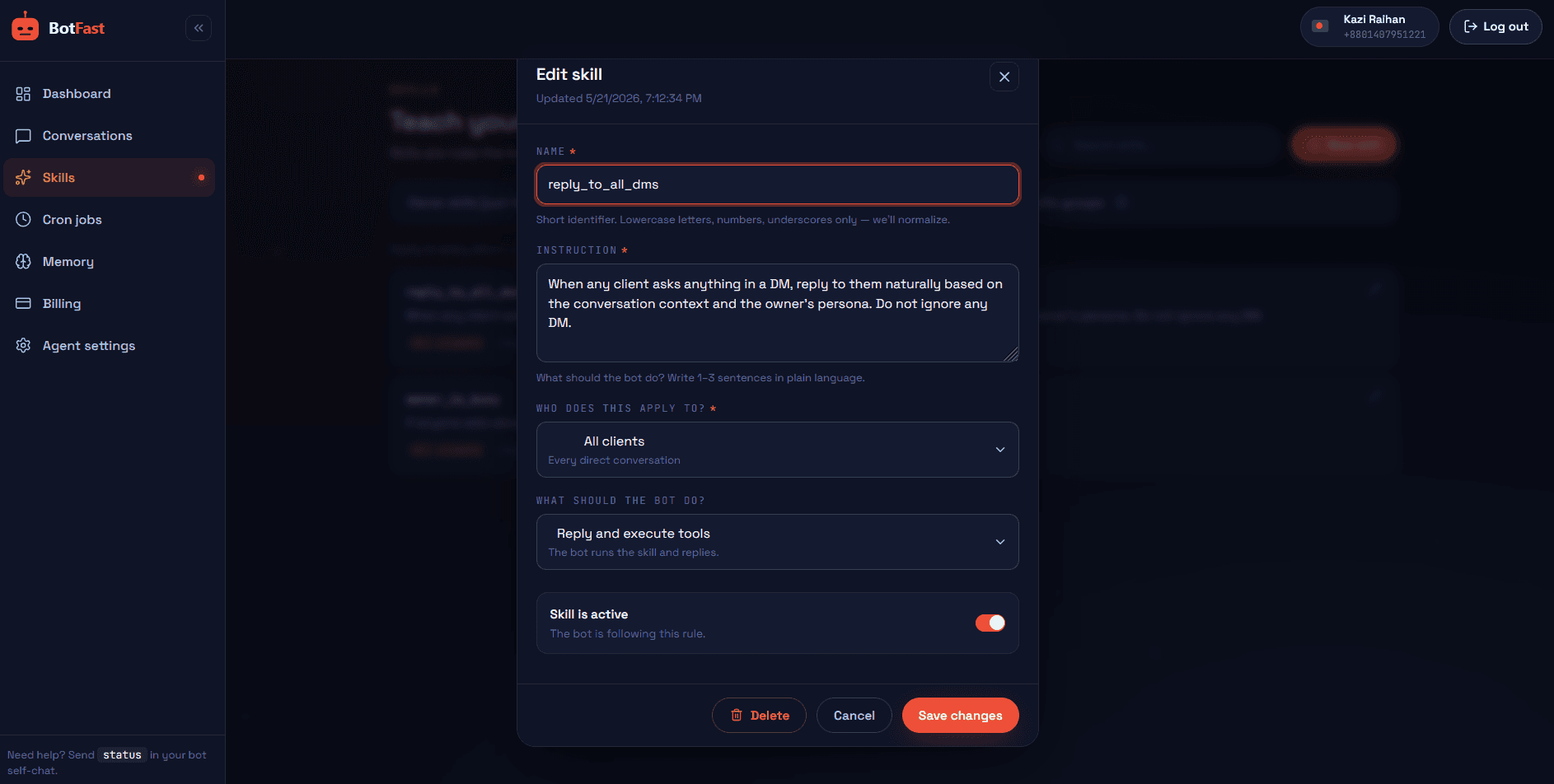
Create skills in plain English to teach your WhatsApp GPT bot how to handle common situations
How to get a WhatsApp GPT bot
Getting a GPT-class bot onto your WhatsApp number takes under a minute. No app to install, no API key to wrangle, no Meta approval to wait on. You configure it by talking to it.
- Connect your number. Go to botfast.co, enter your WhatsApp number (with country code), and scan the QR code from WhatsApp → Linked Devices. The connection uses the same official linked-device feature as WhatsApp Web, so messages stay end-to-end encrypted.
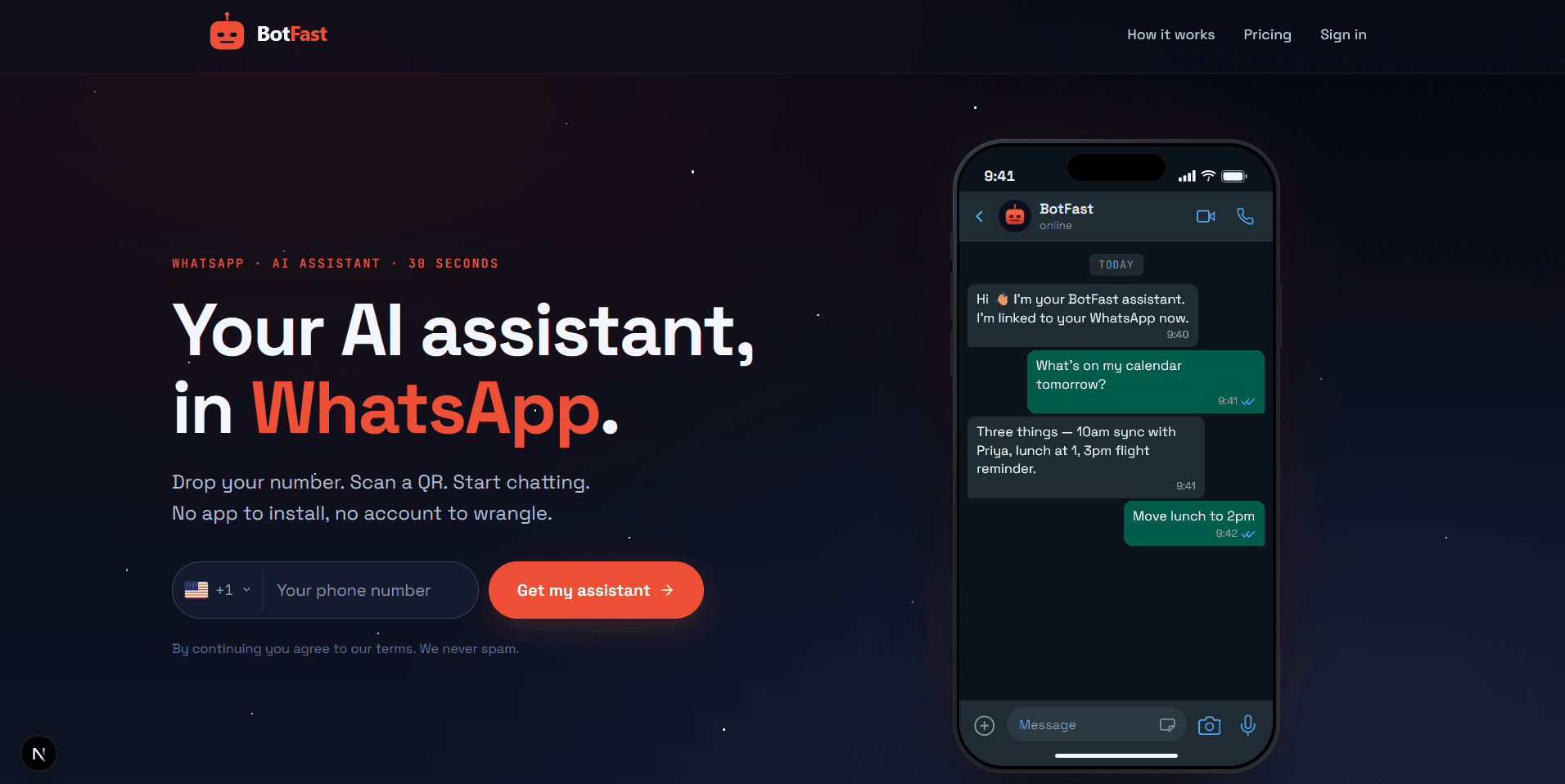
Enter your number on the BotFast homepage — your WhatsApp GPT bot is one QR scan away
- Set a persona. In your self-chat, tell it how to sound: "You are my assistant. Be concise, friendly, and professional. Sign off as the Acme team." The bot treats this as a standing instruction and shapes every reply around it.
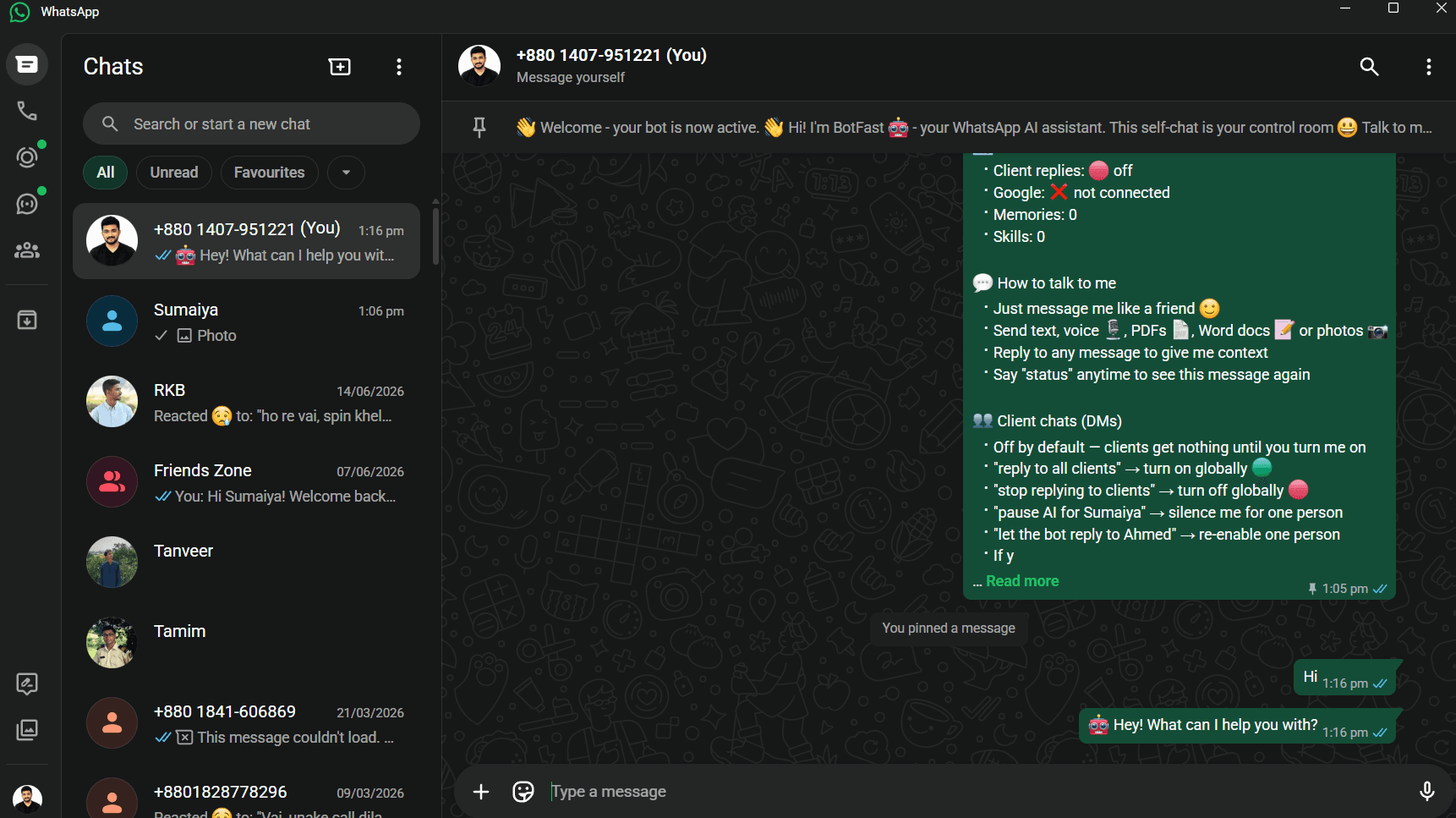
Configure your WhatsApp GPT bot by chatting with your own number — no API keys or dashboards needed
- Add skills. Write plain-English rules for how it should handle common messages. See our auto reply bot guide for skill patterns.
- Connect Google. Type
connect my Googleto unlock Calendar, Gmail, and Drive. - Send it real tasks. Forward a PDF to summarize, a screenshot to read, or ask it to draft a reply — all inside WhatsApp.
A WhatsApp GPT bot vs other options
| Option | Where it lives | Can act for you | Reaches your contacts |
|---|---|---|---|
| ChatGPT app | Standalone app | No | No |
| Unofficial WA mod | Inside WhatsApp (risky) | Limited | Yes, but against terms |
| WhatsApp GPT bot (BotFast) | Inside WhatsApp (official linked device) | Yes (Google, search, files) | Yes |
Real examples
Summarize a PDF. Forward a 20-page contract. The bot reads it and replies with the key clauses and any red flags — inside the same chat.
Read a receipt. Send a photo of an expense receipt. The bot extracts the vendor, date, and total, and can log it to a Google Sheet.
Draft and send. "Draft a polite follow-up to the lead from Tuesday and send it to them." The bot writes it and sends it from your number.
For the build-it-yourself path, our how to build a WhatsApp chatbot guide walks through the same architecture.
GPT bot prompts that work
A WhatsApp GPT bot is only as good as the prompts you give it. The examples below are realistic instructions you can type straight into your self-chat (or turn into a standing skill). The pattern in each is the same: name the input, describe the task, and set the format and guardrails.
Summarize a PDF
I have forwarded a contract PDF. Read it and reply with: a 3-sentence summary of what the contract is for, a bullet list of the key obligations on each side, any clauses that look risky or unusual (flag the section), and the renewal and termination dates. Do not paste long excerpts back — paraphrase.Draft a reply
Draft a polite, warm reply to the client who just messaged. Acknowledge their question, answer the part I can answer now, tell them I will confirm the rest by end of day, and keep it under 80 words. Show me the draft and wait for my OK before sending — do not send it yourself.Extract data from an image
I am sending a photo of a receipt. Extract the vendor name, date, total amount, and currency, and format them as a single line: VENDOR | DATE | AMOUNT. If anything is illegible, say "unclear" for that field rather than guessing. Then ask whether I want it logged to my Expenses Google Sheet.Notice how each prompt ends with a constraint (length, format, an approval gate). That is what separates a useful WhatsApp GPT bot from a chatty one. For a wider library of prompts and skills, see the skills library in our main build guide.
Limitations and honest expectations
A WhatsApp GPT bot is genuinely useful, but it is not magic. Knowing where it struggles keeps you out of trouble and helps you decide what to automate and what to keep doing yourself.
- It can hallucinate. Like any large language model, the bot will sometimes state something confidently that is not true. Never let it give definitive answers on legal, medical, or financial matters without a human check. Treat factual claims as drafts to verify, not gospel.
- Escalate anything high-stakes to a human. Angry customers, refund disputes, contract negotiations, and sensitive personal situations all deserve a real person. Add an escalation skill that politely hands these off and notifies you privately.
- There is latency. Replies are not instant the way a canned auto-reply is. Processing a message through the full AI and tool loop takes a few seconds, and tasks that call external tools (search, Gmail, Sheets) take longer. Fine for almost everything — just do not expect sub-second.
- Cost is per message, not flat. BotFast bills in credits, so a busy number costs more than a quiet one. A daily summary costs more credits than a one-line FAQ reply because it runs the full tool loop. Monitor usage in the billing dashboard and prune skills you no longer need.
- It cannot take payments or make phone calls. The bot cannot move money, charge a card, or dial a number for you. It can draft a payment link, gather refund details, and prep a call agenda — but the actual transaction or call is yours to complete.
- It is only as current as its training and search. For anything time-sensitive (prices, live inventory, today's news) have it use web search rather than rely on memory, and sanity-check anything important.
Used within those limits, a WhatsApp GPT bot handles a large share of the repetitive work in an inbox — drafting, summarizing, extracting, scheduling — and frees you up for the parts that genuinely need a human. For the wider system this fits into, read our WhatsApp AI assistant and business automation guides.
Frequently asked questions
Can I use ChatGPT on WhatsApp?
Yes — a WhatsApp GPT bot like BotFast puts GPT-class AI inside WhatsApp so it can reply, summarize, and take actions from a normal chat.
How is it different from the ChatGPT app?
The app is standalone with no access to your contacts, calendar, or inbox. A WhatsApp GPT bot lives in your conversations and can act on your behalf.
Is a WhatsApp GPT bot free?
BotFast offers a free trial with credits and no card. Paid plans start at $9/month.
Can it reply to clients automatically?
Yes — you write skills in plain English and it follows them on matching messages, scoped globally, per-contact, or per-group.