
WhatsApp AI Assistant: Your Personal AI Inside WhatsApp (2026)
A WhatsApp AI assistant that remembers your contacts, books meetings, reads Gmail, and replies for you. See what it can do and how to set it up.
A WhatsApp AI assistant is what happens when a chatbot stops being a separate app you have to open and starts living where your conversations already are. It replies to your clients, remembers your contacts, books your meetings, and reads your inbox — all from the same WhatsApp you already check fifty times a day.
This guide explains what a WhatsApp AI assistant can actually do, how it differs from a standalone chatbot, and how to put one on your number in under a minute.
Watch the 60-second setup
What is a WhatsApp AI assistant?
It is an AI agent connected to your WhatsApp number through the linked-device feature — the same one behind WhatsApp Web. Once connected, it can do three things a regular chatbot cannot:
- Reply on your behalf to incoming messages, following rules you set in plain English.
- Take real actions — book calendar events, read emails, upload files — through connected tools like Google Workspace.
- Run on a schedule — daily summaries, reminders, recurring jobs — not just react to incoming pings.
Think of it less as a bot and more as a junior assistant who never sleeps, costs a fraction of a hire, and lives in your pocket.
What a WhatsApp AI assistant can do
| Capability | Example |
|---|---|
| Auto-reply with skills | "Reply to pricing questions with the /pricing link" |
| Long-term memory | Remembers client preferences and past requests |
| Google Calendar | "Book Sarah for Thursday at 3pm" |
| Gmail | "What did the client email about today?" |
| Drive & files | "Save this PDF to Client Contracts" |
| Reminders & cron | "Remind me to follow up with Ahmed tomorrow at 10am" |
| Web & YouTube search | "Find the latest on the new iPhone and summarize" |
| Voice & image understanding | Transcribes voice notes, reads receipts and screenshots |
For a comparison of how this stacks up against putting ChatGPT itself on WhatsApp, see our WhatsApp GPT bot breakdown.
Set up your WhatsApp AI assistant
The whole thing takes under a minute. You do not install anything, write any code, or talk to a salesperson. Your WhatsApp AI assistant is configured by talking to it in a normal chat.
- Connect your number. Go to botfast.co, enter your WhatsApp number (with country code), and click Get my bot. A QR code appears instantly. Open WhatsApp on your phone, tap Linked devices, then Link a device, and scan it. This uses the same official linked-device feature as WhatsApp Web, so your messages stay end-to-end encrypted.
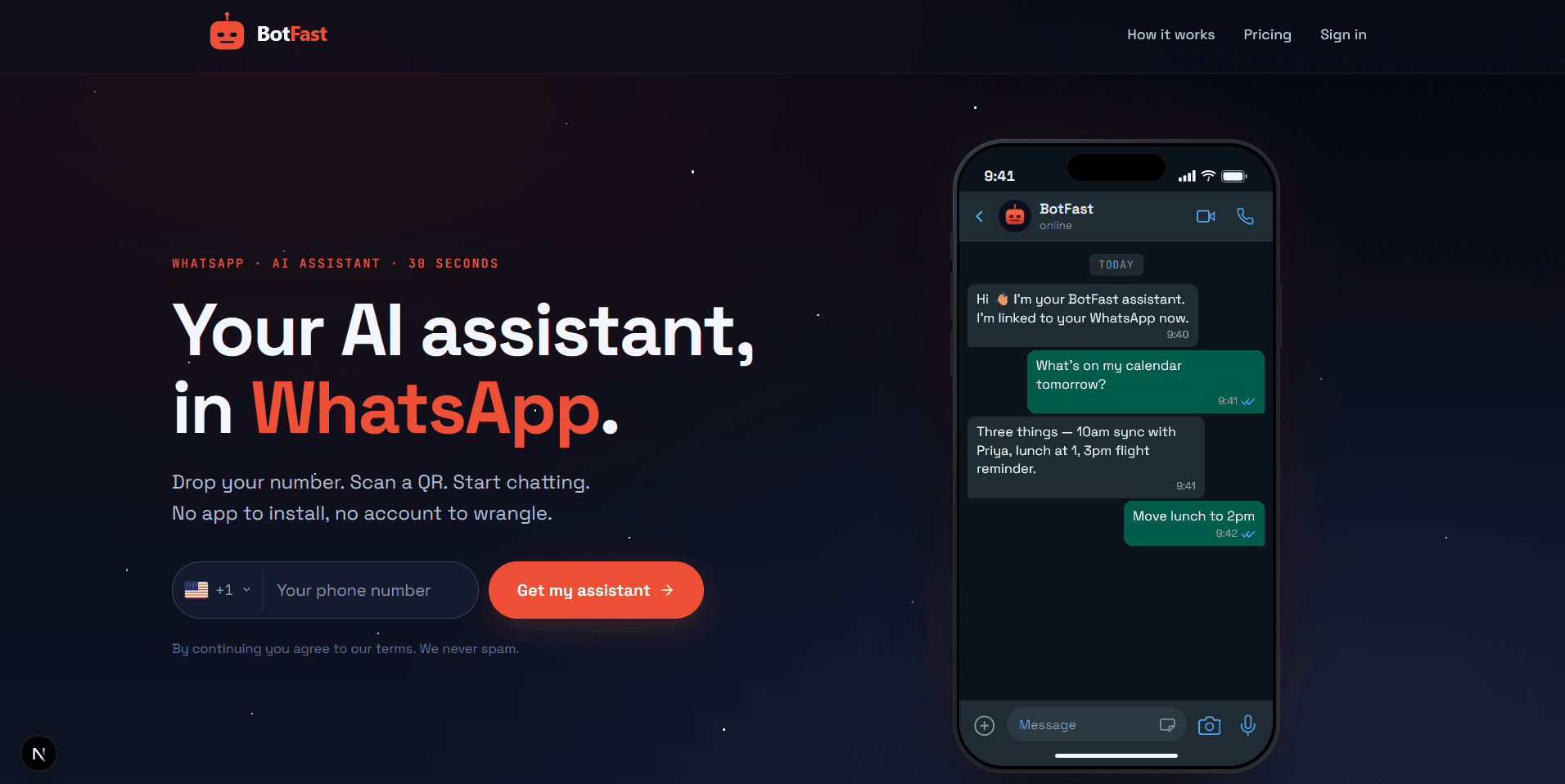
Enter your number on the BotFast homepage — your WhatsApp AI assistant is one QR scan away
- Give it a persona. Open the chat with your own number (your self-chat) and tell it how to sound: "You are my assistant for Acme Studio. Be warm, concise, and professional. Sign off as the Acme team." The assistant treats that as a standing instruction and shapes every reply around it.
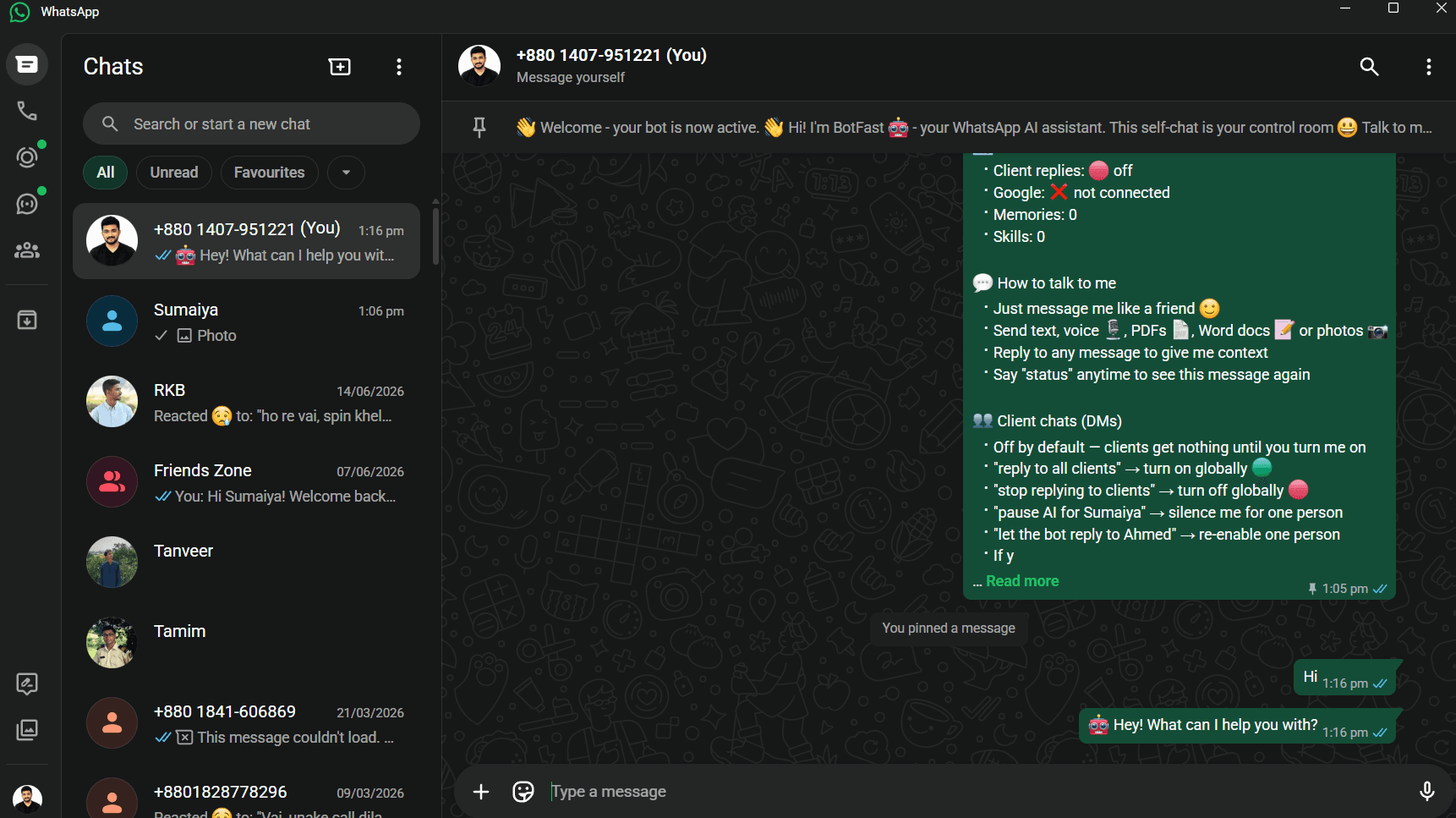
Your control panel is a WhatsApp chat with your own number — no dashboard needed to get started
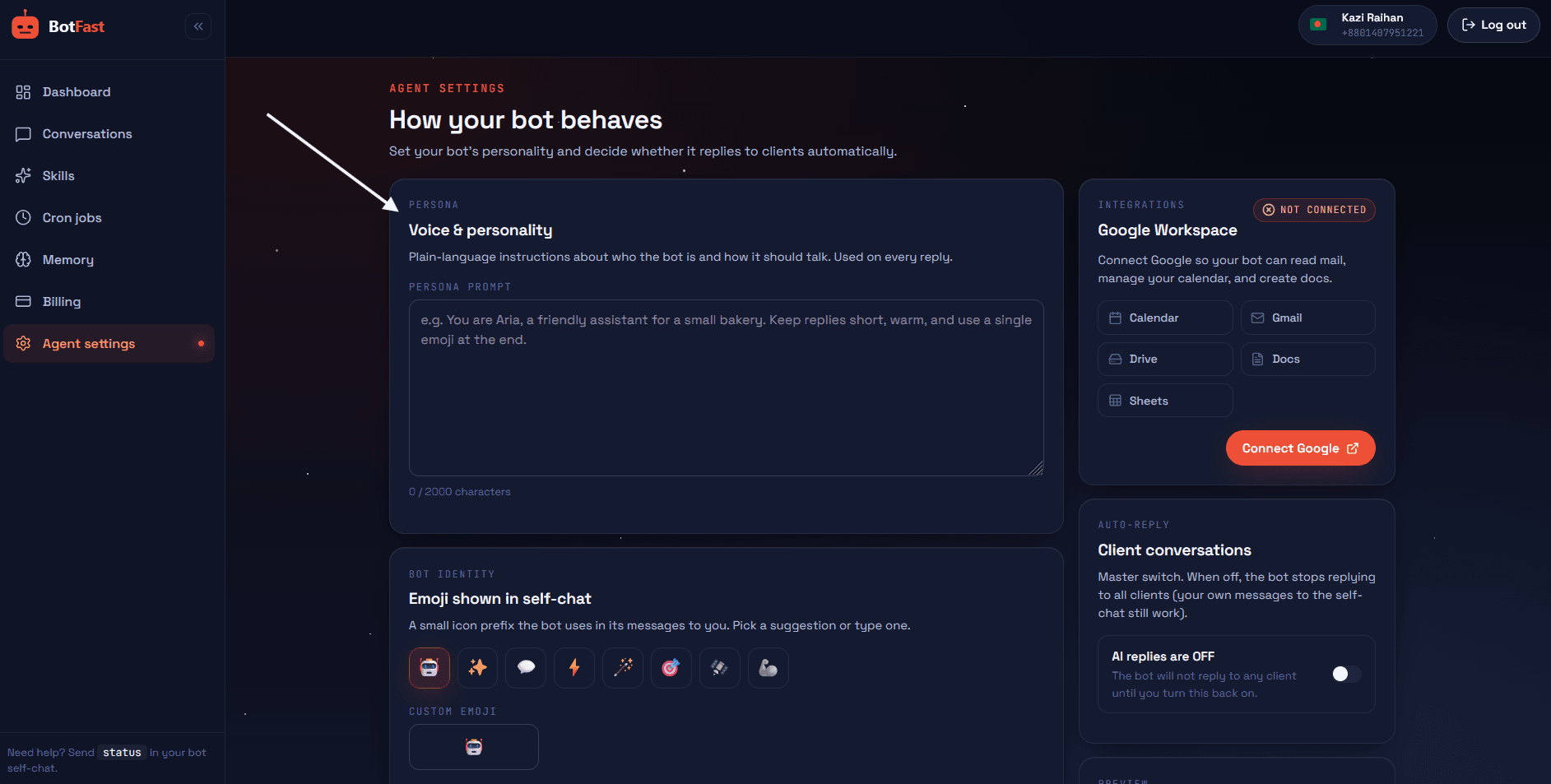
Fine-tune your assistant's persona, name, tone, and emoji from the Agent Settings page
- Add skills. Write standing rules for common situations — pricing, hours, intake, after-hours. The assistant follows them on every matching message, scoped globally, per-contact, or per-group.
- Connect Google. Type
connect my Googleand approve the OAuth link to unlock Calendar, Gmail, and Drive. This is what turns it from a chatbot into an assistant that can actually do things. - Set schedules. Add a daily summary, weekly report, or one-off reminders. See the reminder bot guide for patterns.
Memory and context — the real differentiator
A dumb bot resets every message. An assistant remembers. This is the single biggest reason a WhatsApp AI assistant feels different from every chatbot you have tried before: it does not ask you the same question twice. BotFast keeps two layers of memory:
- Long-term memory — facts you tell it to remember ("My bookkeeper is Sarah, she invoices monthly", "Ahmed is on the premium plan", "I do not work Fridays"). Editable anytime, either by chatting to the assistant or from the dashboard.
- Daily activity log — a running record the assistant reads for recent context, so it knows what happened yesterday without you re-explaining. If a client opens with "following up on our chat", the assistant knows which chat.
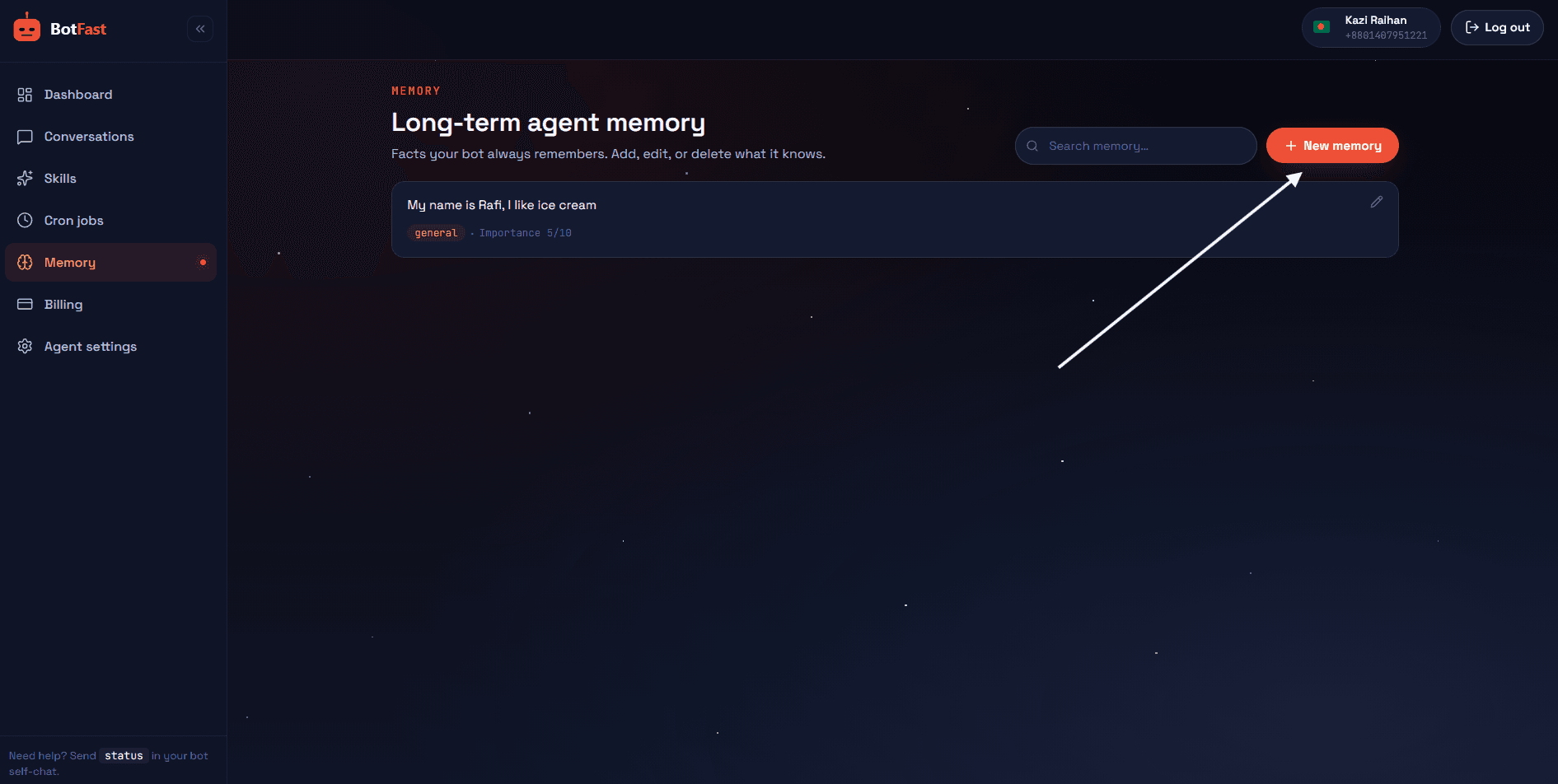
Long-term memory your WhatsApp AI assistant carries across every conversation and every day
The practical effect is that the assistant gets sharper the longer you use it. The first day it knows only what you told it. By the end of week two, it has absorbed your clients' names, your pricing, your schedule preferences, and the quirks of how you like things phrased — because you keep correcting it and it keeps remembering. This is why the assistant feels like a person who has been on the job for weeks, not a fresh install every morning.
Real examples of the assistant in action
Consultant. A new lead messages at 11 pm. The assistant replies instantly, asks two intake questions, checks tomorrow's calendar, and books a 30-minute call. The consultant wakes up to a confirmed appointment.
Shop owner. A customer asks "is the blue one in stock?" The assistant checks a Google Sheet and replies accurately, then offers to reserve it. The owner only hears about it in the daily summary.
Freelancer. The assistant sends a 9 am summary of overnight messages, flags the two that need personal attention, and drafts replies for the rest. The freelancer approves and sends.
Assistant skills you can copy
Skills are plain-English instructions your WhatsApp AI assistant follows on matching situations or on a schedule. Paste any of these into your self-chat (or the skills editor in the dashboard) and tweak the specifics to fit your business. Each one is a job a human assistant would otherwise own.
Morning briefing
Every day at 9am, summarize overnight client messages, flag anything that looks urgent or angry, list today's Google Calendar events, and remind me of the two most important tasks I flagged yesterday. Keep the whole thing under 150 words and send it in one message.Inbox triage
Whenever I forward you an email or say "triage", sort my unread Gmail into three buckets: needs my reply today, can wait 48 hours, and FYI only. Draft a short reply for each item in the first bucket and wait for my approval before sending. Summarize the other two buckets in a single list.Contact research
When I send you a name or company, do a quick web search and reply with: what the company does, their rough size, any recent news in the last 90 days, and two relevant talking points I could use in a first message. Keep it factual and cite where each point came from.These are starting points — the pattern is always the same: describe the trigger, describe the action, set the guardrails (length, tone, approval). For dozens more skill patterns, see the copy-paste library in our how to build a WhatsApp chatbot guide.
A WhatsApp AI assistant vs a human assistant
People sometimes ask whether an AI assistant replaces a hire. The honest answer is that it replaces the busywork of one — the repetitive triage, scheduling, reminders, and first-draft replies — at roughly 1% of the cost. Here is how the two compare on the dimensions that actually matter.
| Factor | Human assistant | WhatsApp AI assistant |
|---|---|---|
| Monthly cost | $1,500–$4,000+ (depending on market) | $9–$99, usage-based |
| Availability | Business hours, needs time off | 24/7, never sleeps |
| Consistency | Varies by mood, energy, day | Follows your skills every time |
| Languages | One or two fluently | Dozens, instantly |
| Memory | Strong, but needs onboarding | Editable long-term memory + daily log |
| Action-taking | Wide range, uses judgment | Calendar, email, files, search — within set skills |
| Empathy & nuance | High — real human warmth | Good for routine, escalate the rest |
| Best used for | High-stakes, relational work | Volume, speed, and never forgetting |
The strongest setup is not one or the other — it is both. Let the WhatsApp AI assistant handle the 80% of inbox volume that is repetitive, and free up a human (often you) for the conversations that genuinely need judgment, warmth, and negotiation. That division of labor is where the real time savings come from. Pair it with broader automation and a reminder bot and you have a back office that runs while you sleep.
Frequently asked questions
What is a WhatsApp AI assistant?
An AI agent on your WhatsApp number that replies to messages, remembers context, schedules appointments, reads emails, and runs scheduled tasks — all from inside a normal chat.
How is it different from ChatGPT?
ChatGPT lives in its own app with no access to your contacts, calendar, or inbox. A WhatsApp AI assistant lives where conversations already happen and can take real actions.
Can it reply to clients automatically?
Yes — you define skills and it follows them on matching messages, scoped globally, per-contact, or per-group.
Does it remember previous conversations?
Yes. BotFast stores editable long-term memory plus a daily activity log for context across days.