
WhatsApp Reminder Bot: Never Miss a Task or Appointment Again
A WhatsApp reminder bot that sends one-time and recurring reminders from your own number. Daily summaries, weekly reports, and smart scheduling.
Forgetting to follow up costs more than almost any other mistake in business. A WhatsApp reminder bot fixes it by sending the right nudge at the right moment — from your own number, inside the app you already live in, so it actually gets seen.
This guide covers one-time reminders, recurring schedules, and how to send reminders to clients (not just yourself) to cut no-shows.
See it run a whole business
What is a WhatsApp reminder bot?
It is a bot on your WhatsApp number that schedules and sends messages at a future time. You write the reminder once in plain English; the bot handles the timing. Reminders fire from your own number, so they look like any other message you would send.
Reminder use cases
| Use case | Example |
|---|---|
| Self reminders | "Remind me to email the invoice tomorrow at 10am" |
| Appointment reminders | "Remind Sarah about her 3pm call 1 hour before" |
| Follow-ups | "Remind me to follow up with the lead in 2 days" |
| Daily summary | "Every day at 9am, summarize yesterday's messages" |
| Weekly report | "Every Friday at 5pm, summarize the week" |
| Standup prompt | "Every weekday at 10am, ask the team for updates" |
| Invoice chasing | "In 7 days, remind me to chase the unpaid Acme invoice" |
| Subscription renewal | "3 days before the 15th, remind me to pay the hosting bill" |
| Habit & routine | "Every weekday at 6pm, ask if I hit today's sales-call target" |
The unifying idea is the same: anything that needs to happen at a future moment — once or on a loop — is a reminder. Because reminders run through the full AI and tool loop when they fire, they can also take actions, not just nag you. A "chase the invoice" reminder can draft the follow-up message; a "weekly review" reminder can pull your numbers from a Sheet.
How to set reminders
Step 1 — Connect your number
Go to botfast.co, enter your number (with the country code), and scan the QR code from WhatsApp → Linked Devices. The connection uses the same official linked-device feature as WhatsApp Web, so your messages stay end-to-end encrypted. Your WhatsApp reminder bot is live the moment the scan completes.
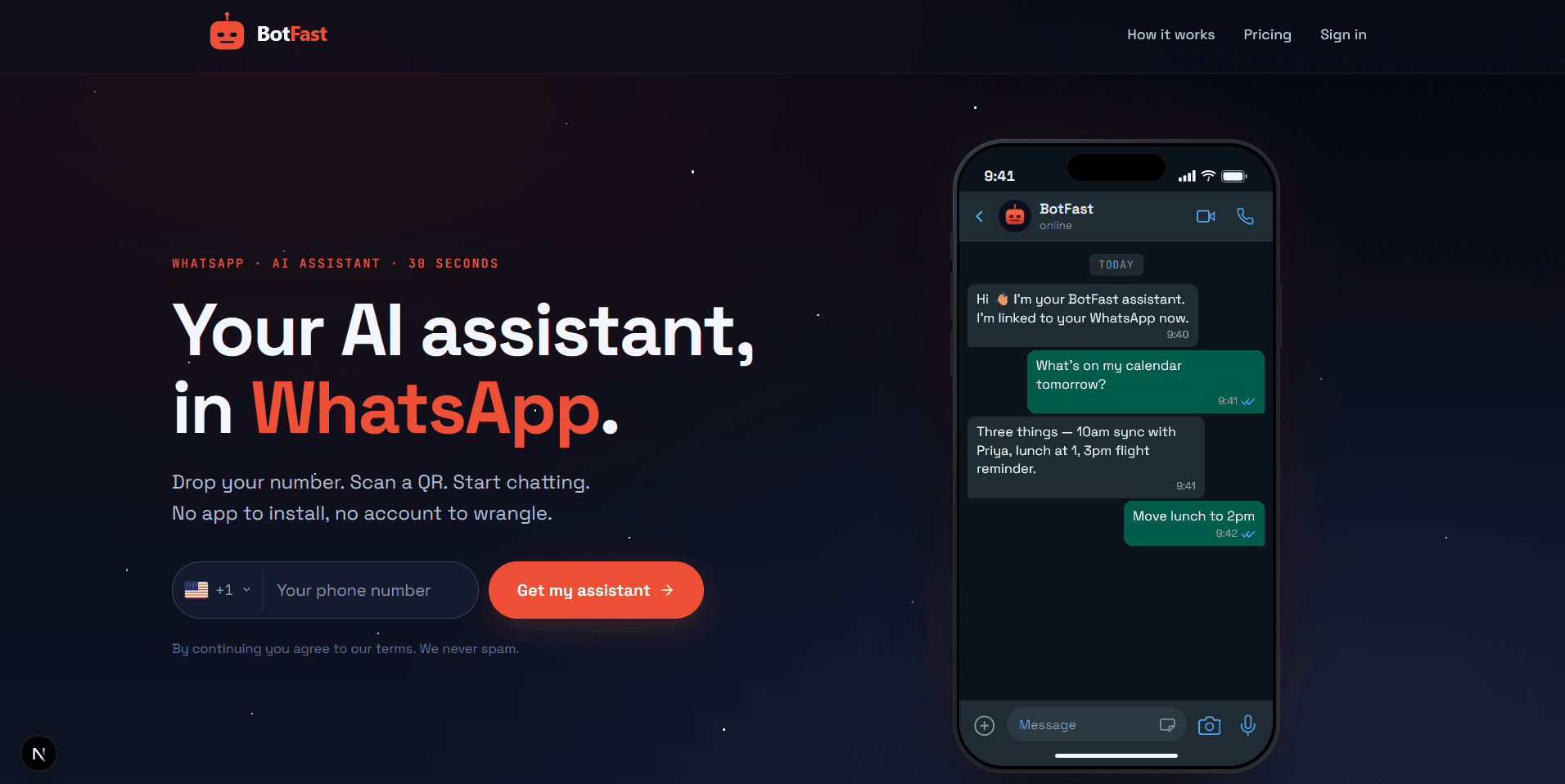
Enter your number on the BotFast homepage — your WhatsApp reminder bot is one QR scan away
Step 2 — Type your reminder in plain English
In your self-chat, just say what you want and when. You do not need to learn a syntax or fill out a form — the bot parses natural language. Examples:
"Remind me to call the supplier tomorrow at 11am."
"Every day at 9am, give me a summary of overnight client messages."
"Remind Ahmed about his appointment on Thursday at 2pm, 1 hour before."
"Every Sunday at 6pm, draft my weekly plan and send it to me."
The bot parses the time, confirms it back so you can sanity-check, and schedules the job. It is that simple.
Step 3 — Manage from the dashboard
Every reminder appears in the Cron Jobs dashboard where you can pause, edit, or delete it. History of every fired reminder is logged too, so you can confirm a reminder actually went out — useful when a client swears you never reminded them.
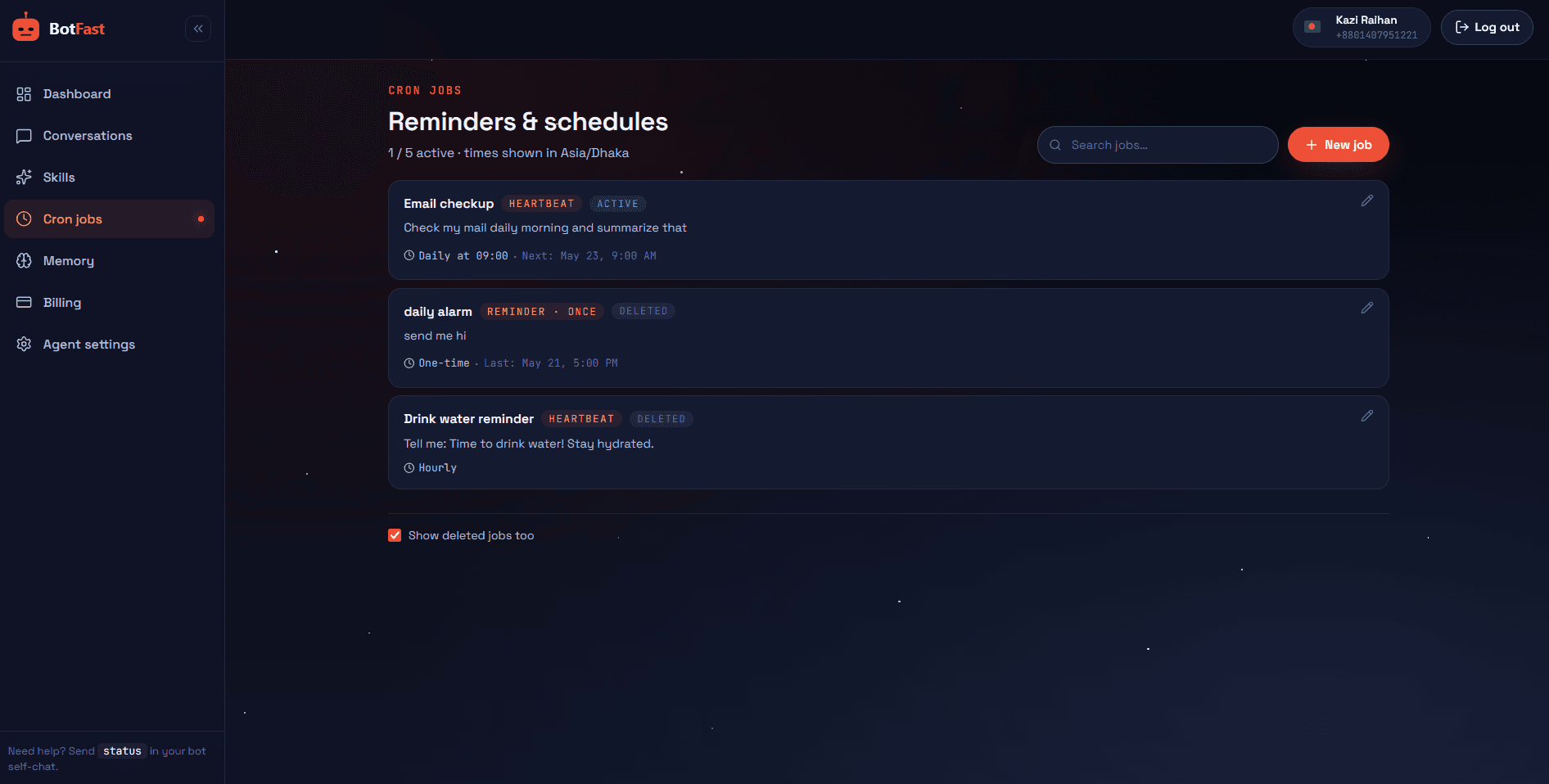
All your scheduled reminders in one list — pause, edit, or delete any job
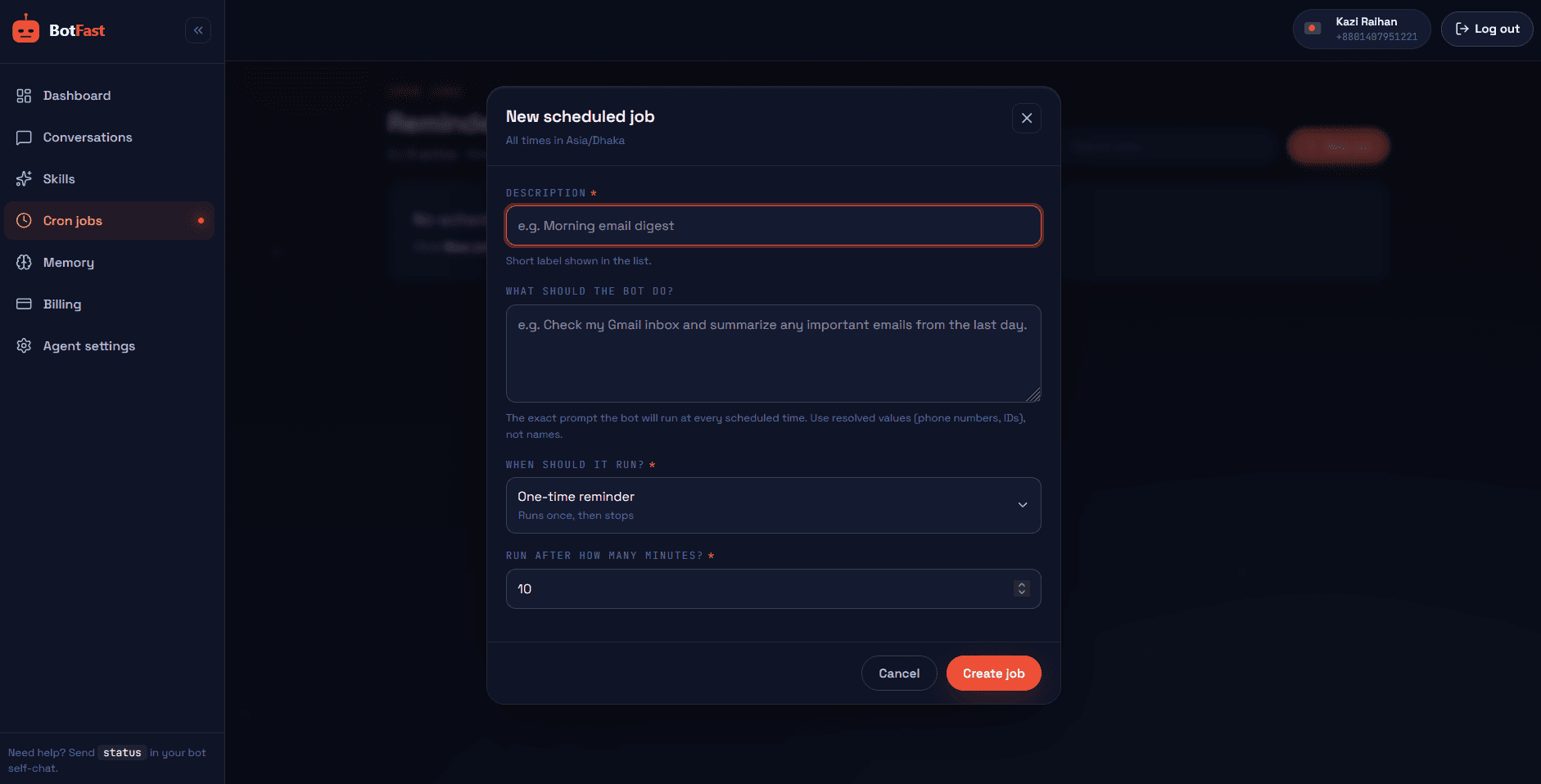
Edit the prompt, timing, and cadence of any reminder without re-typing it in chat
Reminder types
- One-time — fires once, then goes quiet. "Remind me in 2 hours." Perfect for "do this thing shortly" without polluting your calendar.
- Daily — fires every day at a set time. "Every day at 9am." Best for briefings and routines.
- Weekly — fires on a weekday. "Every Monday at 9am" or "every Sunday at 6pm." Ideal for planning and weekly reviews.
- Custom interval — any repeating cadence. "Every 45 minutes." Useful for polling-style checks or long-running processes.
- Relative to an event — anchored to something happening soon. "1 hour before Thursday's 2pm call." Great for client appointment reminders that cut no-shows.
You can mix and match: a one-time reminder to fire once, a daily summary, and a weekly review can all run side by side from the same number. When a reminder fires, the bot runs the prompt through its full AI and tool loop — so a daily summary actually reads your messages and summarizes them, it does not just print a fixed string. This is what makes it a real WhatsApp AI assistant rather than a dumb alarm.
Practical examples
Cut no-shows. After booking (via the appointment bot), schedule a reminder to the client one hour before. No-shows drop sharply.
Morning briefing. "Every day at 9am, summarize overnight messages, flag anything urgent, and list today's calendar events." You start the day informed in 30 seconds.
Re-engagement. "In 3 days, follow up with the lead who asked about pricing and send the link again." Leads stop falling through the cracks.
Combined with broader automation, reminders are what turn a reactive bot into a proactive assistant.
Reminder recipes library
These are ready-to-paste reminder prompts for your WhatsApp reminder bot. Drop any of them into your self-chat and tweak the specifics. Remember: when a reminder fires, the bot runs the prompt through its full AI and tool loop, so these do real work — they read your messages, check your calendar, and draft content — rather than just printing a fixed string.
Daily summary
Every day at 9am, summarize overnight client messages, flag anything urgent, list today's Google Calendar events, and remind me of the top two tasks I should not let slip. Keep it under 150 words in one message.Weekly review
Every Friday at 5pm, summarize the week: how many new leads came in, which clients I spoke to, any follow-ups still outstanding, and one thing that went well. End with a one-line suggestion for what to focus on next week.Appointment reminder to a client
Remind Sarah about her appointment on Thursday at 2pm, sending the message 2 hours before. The message should be warm, confirm the time, include the video call link if there is one on the calendar event, and ask her to reply if she needs to reschedule.Follow-up sequence
In 2 days, follow up with the lead who messaged about pricing. Send a friendly check-in, re-share the pricing link, and offer a 15-minute call later this week with two specific slot options pulled from my Google Calendar.Standup prompt
Every weekday at 10am in the Team group, ask everyone for their standup: what they did yesterday, what they are doing today, and any blockers. Collect the replies and at 10:30am post a clean summary thread tagging anyone who flagged a blocker.Start with one recipe that maps to a task you already forget regularly, watch it run for a few days, then layer on more. The reminder patterns pair naturally with our appointment booking bot for reducing no-shows and the WhatsApp AI assistant for the daily briefing.
Reminder best practices
A reminder bot is easy to set up and easy to overuse. These practices keep it genuinely helpful instead of noisy.
- Get the timing right for the recipient, not the sender. A client reminder lands best an hour or two before the event — early enough to act, late enough to be top of mind. For your own reminders, schedule daily briefings for when you actually start work, not 6 am if you never open WhatsApp before 9.
- Be timezone-aware. BotFast reads your timezone from your number and fires at the correct local wall-clock time, DST-safe. When reminding a client in another zone, say the time intheir timezone in the prompt so there is no confusion.
- Do not over-remind. Reminder fatigue is real. If a client gets three nudges about one appointment, they start ignoring all of them — including the ones that matter. One well-timed reminder beats five desperate ones.
- Batch your own reminders. Instead of ten pings across the day, fold them into one daily summary. You stay informed without your phone buzzing constantly, and the information is easier to act on when it arrives together.
- Make reminders action-oriented. A reminder that just says "invoice" is easy to dismiss. One that says "send the invoice to Acme for $2,400 and mark it sent in the sheet" gives you (or the bot) a concrete next step — and the bot can often complete it for you.
- Review and prune regularly. Schedules accumulate. Spend two minutes a month in the Cron Jobs dashboard deleting reminders you no longer need — stale recurring jobs are the main way a reminder bot turns from helpful into annoying.
Frequently asked questions
How do I create a WhatsApp reminder bot?
Connect your number at botfast.co, scan the QR, then type your reminder in plain English in your self-chat. The bot schedules and sends it from your own number.
Can WhatsApp send automatic reminders?
Yes — one-time and recurring, all from your own number with no extra app or scheduling link.
Can it remind other people, not just me?
Yes. Tell the bot which contact to remind by name or number — great for client appointment reminders and team prompts.
Are reminders time zone aware?
Yes. BotFast reads your time zone from your phone number and fires at the correct local wall-clock time, DST-safe.