
WhatsApp Group Moderation Bot: Keep Groups Clean Without a Mod
An AI moderator for your WhatsApp group: catches spam and scams, warns once, and DMs you the evidence. Keep groups clean without a human moderator.
Every open WhatsApp group has the same life cycle: week one it’s a great community, week four it’s three crypto pitches a day, “DM me for cheap iPhones”, and a link storm at 2am — and your best members have quietly left. The official tools don’t help much: WhatsApp has no “report spam to admin” button, and a human mod watching 800 messages a day burns out in a month.
A WhatsApp group moderation bot is the mod that never sleeps. It reads the group like a member, applies your rules — not generic keyword filters — warns once, escalates privately to you with evidence, and (if you allow it and your number is admin) removes the rare repeat offender. The group stays clean; you stay sane.
Watch the setup walkthrough
What this WhatsApp group bot is capable of
Moderation is built on capabilities 4, 5 and 6: the bot views every message, stays quiet by default (so it never becomes the noise it's policing), and notifies you privately when a human decision is needed:
| # | Capability | What it means inside your group |
|---|---|---|
| 1 | Sends from the owner’s number | The bot is linked to your WhatsApp number as a device, so every message it posts comes from your number — not from a foreign bot number or a faceless business account. Members already know and trust the sender. |
| 2 | Replies when mentioned | @mention the bot (or reply to one of its messages) and it answers within seconds — with full context of the conversation around the mention. Everything else, it ignores. |
| 3 | Analyzes images and documents | Turn on media analysis for the group and the bot reads whatever is posted — receipts, invoices, bank statement PDFs, DOCX files, screenshots, photos — then answers questions about it or extracts the data into a table or Google Sheet. |
| 4 | Views every message and reacts | The bot sees the whole conversation, so it follows context instead of answering blind — and it can react to messages with an emoji, like a ✅ on a finished task or a 👍 on a good update. |
| 5 | Keeps quiet in the group | Silence is the default. Unless mentioned, replied to, or tripped by a skill you wrote, the bot says nothing — it never injects itself into conversations uninvited. |
| 6 | Notifies the owner in any case | When something needs a human — an angry member, an overdue task, a spam wave, a question it can’t answer — the bot sends you a private DM instead of cluttering the group. |
| 7 | Add and removes members (if the owner is admin) | If your number is an admin of the group, the bot can add and remove participants on your behalf — ideal for paid communities and team groups where membership changes constantly. |
| 8 | Does anything the owner can do | The bot operates your number, so whatever you can do in a WhatsApp group — send, reply, react, add members, share files — the bot can do too, on your instruction, around the clock. |
Everything else on this page — task boards, deadline reminders, receipt extraction, daily digests — is built from these eight primitives plus group skills: plain-English standing instructions that tell the bot what to watch for and what to do.
What a moderation bot actually does
Unlike a chatbot (which exists to reply), a moderation bot exists to stay silent and watch. A skill puts it in always-reading mode, and its entire job is classification: is this message fine, borderline, or trouble? The output matrix looks like this:
| Message type | Bot’s public action | Bot’s private action (your DM) |
|---|---|---|
| Normal conversation | Nothing — it’s invisible | Nothing |
| Off-topic drift | One gentle nudge (max 1/day per thread) | Nothing |
| Promo/spam from a member | One short warning + the rule quoted | Member name + what they posted |
| Scam patterns (crypto, jobs, “DM me” farming) | Warning + caution to the group if others are engaging | Immediate DM with a summary and recommendation |
| Link flood / repeated offense | Nothing public | DM with evidence + “remove?” (you say yes, or pre-approve auto-removal) |
| Conflict between members | Nothing — never takes sides publicly | DM summary, both sides, lets you step in |
The design rule behind the matrix: the group should barely see the moderator. One nudge, one warning — everything else goes to your DM. Groups die from mod noise as surely as from spam.
What it catches — and what it won’t
Because the bot understands language rather than matching keywords, it catches the shape of trouble even when the words change:
| Catches reliably | Catches with context | Leaves to you |
|---|---|---|
| Investment/crypto/giveaway pitches, reworded or not | Promo links from legit members (first-time nudge vs ban) | Judgment calls in personal disputes |
| “DM me” phone-number farming, fake job offers | Off-topic threads that start relevant then drift | Deciding intent of old, respected members |
| Link floods (5+ links, new account, no intro) | Legit questions that look like spam (“is this site a scam?”) | Anything in another admin’s DMs |
| Repeat offenses by the same member (it remembers) | Sarcasm/irony that keyword tools false-positive on | Legal, harassment, or threats — escalate immediately, always |
That last cell is a feature, not a gap: for anything serious — threats, harassment, doxxing — the bot’s job is to reach you fast, not to adjudicate. Its DM includes what was said, by whom, and a recommended action; the decision stays yours.
Copy-paste moderation skills
Start with skill 1 alone for a week — watch its DMs, tune the rules, then add the others. All of them are deliberately quiet: public output is minimal by design.
1. The spam watcher (core)
For the group "Dhaka Startups":
You are the group's silent moderator. Read EVERY message.
SPAM means: crypto/investment/giveaway pitches, "earn from home" job scams, selling unrelated products, links posted by non-admins (except genuine article shares in ongoing conversation), phone-number farming ("DM me", "comment interested"), and repeated promo messages by the same person.
- First offense: post ONE short warning naming the rule ("No promo links here please 🙏") — never shame, never long text.
- Second offense by the same person: post nothing. DM the owner: name, what they posted (quote it), and "second offense".
- Any scam-pattern message (crypto, jobs, too-good offers): DM the owner immediately with a quote + recommendation, and post one line of caution ONLY if other members are engaging with it.
- Never remove anyone without the owner's explicit instruction.
- Normal conversation, jokes, questions: do nothing, say nothing.
- If someone asks you something directly (mention), answer briefly and helpfully.
2. Newcomer gate
For the group "Dhaka Startups":
When a new member joins:
1. Welcome them warmly (one line) and ask them to introduce themselves.
2. If they post ANY link or promo before introducing themselves, treat it as spam immediately: one public warning + DM the owner with the quote.
3. If they introduce themselves first, they're treated as a normal member from then on.
4. Keep a note of who has introduced themselves (a members table is fine) — intros are the trust gate.
3. Link policy (strict groups)
For the group "Investors Circle":
- Links are allowed ONLY from messages sent by the group admins, or that the owner explicitly approves.
- If a non-admin posts a link: delete nothing (you can't), post one short reminder of the rule, and DM the owner with the link.
- EXCEPTION: links that answer an ongoing question (documentation, maps, articles) are fine — use judgment, only warn when it's clearly a promo.
- Maintain a zero-drama tone: one reminder, never repeated for the same incident.
4. Reply control (keep the mod invisible)
For the group "Dhaka Startups":
Moderation conduct rules, on top of your duties:
- You speak publicly at most ONCE per incident, and at most 3 times per day total in the group. Everything else is a DM to the owner.
- Public messages are never longer than 2 lines.
- You never argue, never explain moderation policy at length, never use mod-speak ("violation", "strike") — you sound like a friendly regular member reminding people of the vibe.
- When unsure whether something is spam: DM the owner, don't post.
Moderate every group with different rules
You do not need one bot per group. The same BotFast assistant — the same linked number, the same subscription — works in every WhatsApp group you are a member of, at the same time: your team group, your customer community, your class group, your family chat.
One bot, every group. Each group gets its own reply mode and its own set of skills, so the very same bot can be a task manager in your team group, a moderator in your community, a receipt logger in your finance group, and a quiet encyclopedia in your class group — all at once, all from your one number. Turn it off in one group and the others are untouched.
| Group | Reply mode | What the same bot does there |
|---|---|---|
| Engineering Team | Skills + mention | Standups, task tracking, deadline reminders |
| Acme Customers | Always reply | FAQ answers, onboarding, escalation to you |
| Finance & Ops | Skills + media analysis | Receipt and bank statement extraction into Sheets |
| Family | Off | Nothing — the bot stays completely silent here |
The full walkthrough of per-group modes, per-group skills, and global group skills is in one AI bot for all your WhatsApp groups.
How to get a WhatsApp group bot (5 steps)
The whole setup takes about two minutes and needs no coding, no Meta business verification, and no group admin approval — your linked number is just a regular member. Here is the exact path from zero to a working group bot.
Step 1 — Enter your phone number at botfast.co
Go to botfast.co and enter the WhatsApp number the bot should run on. This is the number members will see talking in the group — for most people, their own personal or business number.
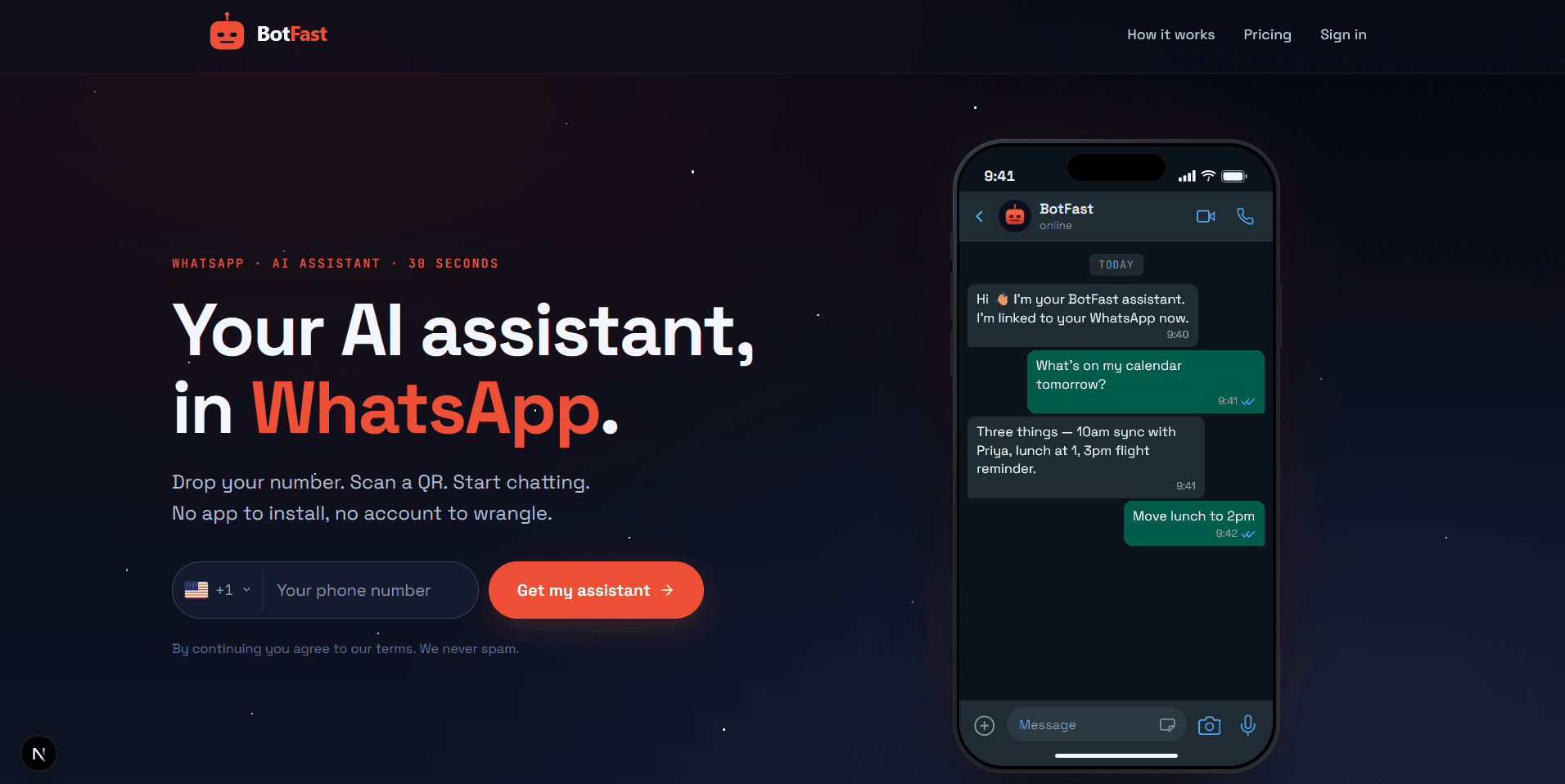
Enter your number on the BotFast homepage — this becomes the number your group bot speaks from
Step 2 — Scan the QR code from WhatsApp Linked Devices
On your phone, open WhatsApp → Settings → Linked Devices → Link a device, and scan the QR code BotFast shows you. That links the bot to your number — the same mechanism WhatsApp Web uses, nothing is installed on your phone and your phone keeps working normally.
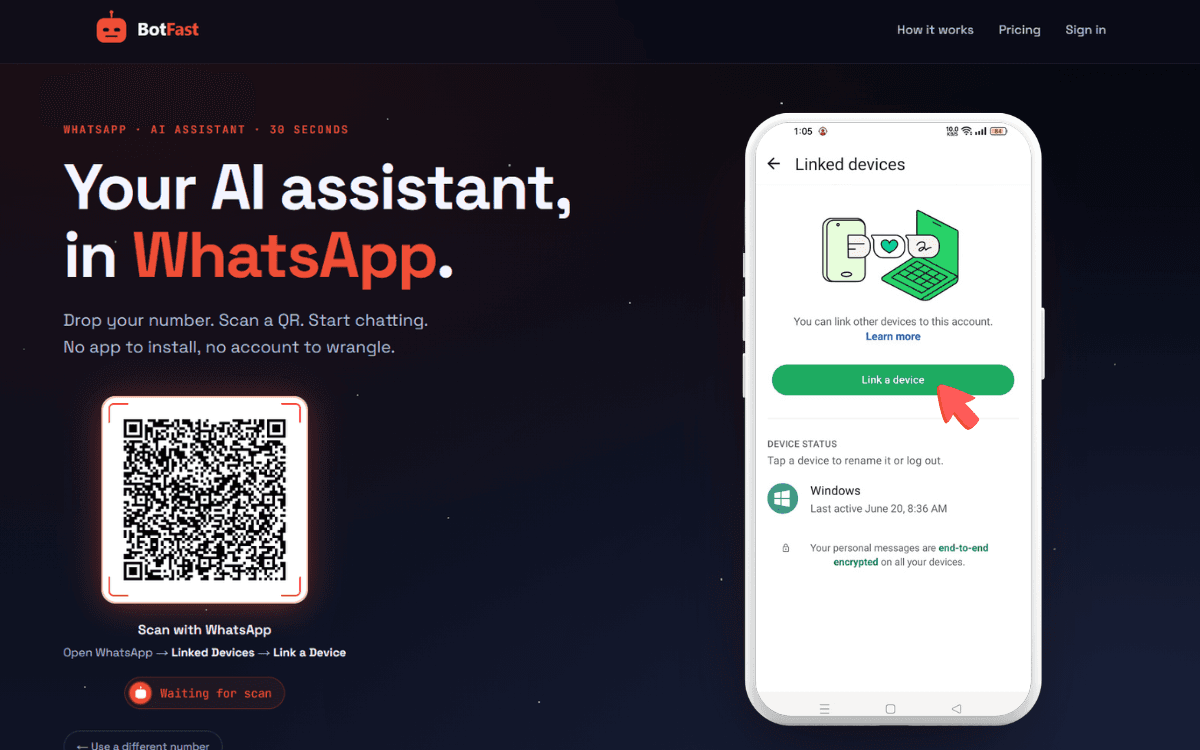
Scan one QR code and the bot is linked to your number — same flow as WhatsApp Web
Step 3 — Send a message in the group
Add your number to the group you want the bot in (via the normal “Add participant” flow — or use a group you are already in), then send any message in that group. The moment a message lands, the group appears on your BotFast dashboard, ready to configure. No admin rights are required.
Step 4 — Enable AI reply for that group
Open the dashboard, go to Conversations, find the group, and open its settings. Switch on AI reply — the default behavior is reply when mentioned: the bot answers only when someone @mentions it or replies to one of its messages. In the same panel you can optionally turn on always reply (for support-style groups) and media analysis (so the bot can read images and documents posted in the group).
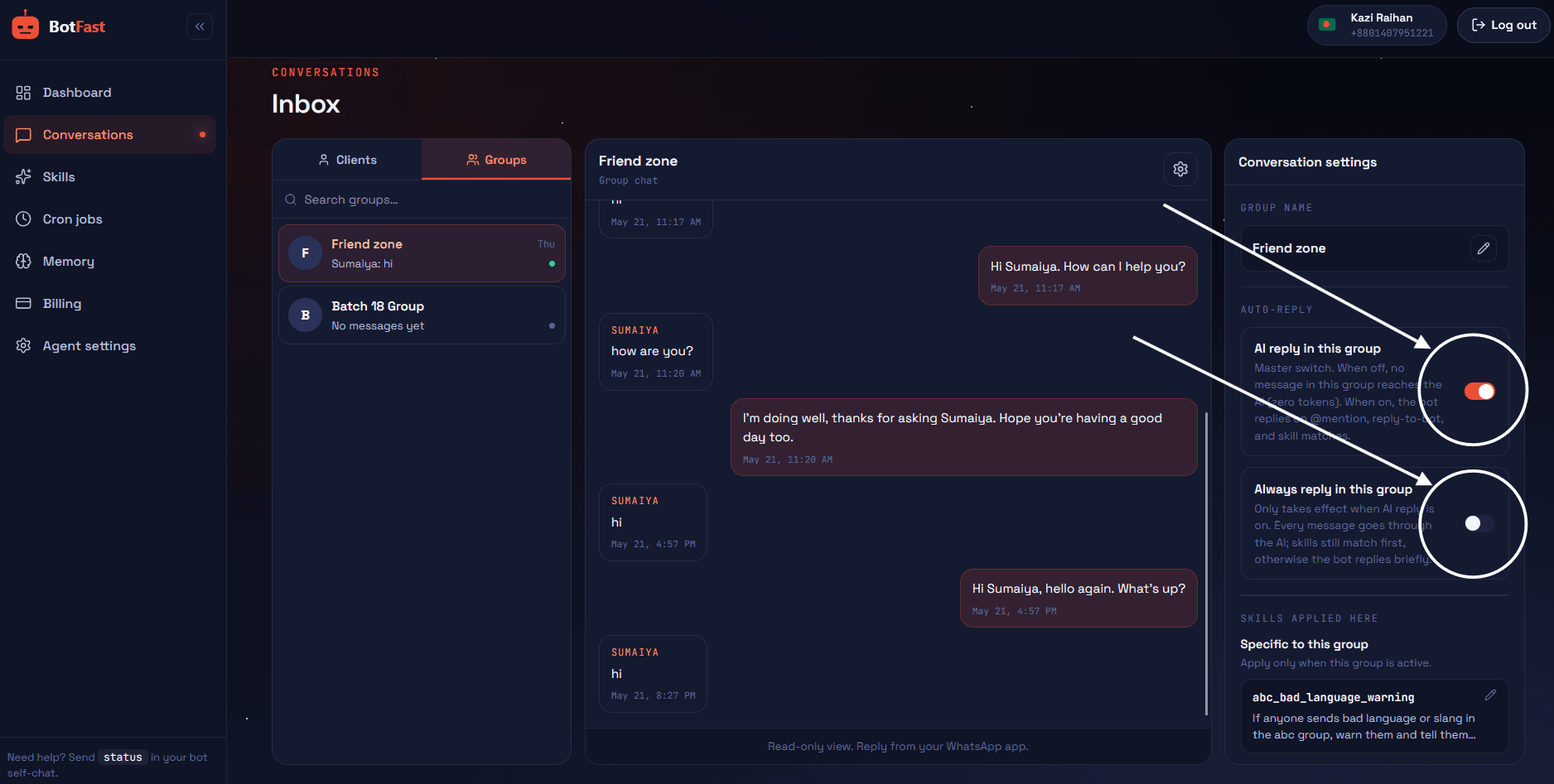
Dashboard → Conversations → your group — enable AI reply (mention mode by default), always-reply, and media analysis here
Step 5 — Create the skill and paste it
For moderation, step 4 matters most: enable AI reply for the group, then paste skill 1 scoped to that group. Because the skill watches every message, the bot reads the whole conversation — that's what lets it catch spam that keyword filters miss.
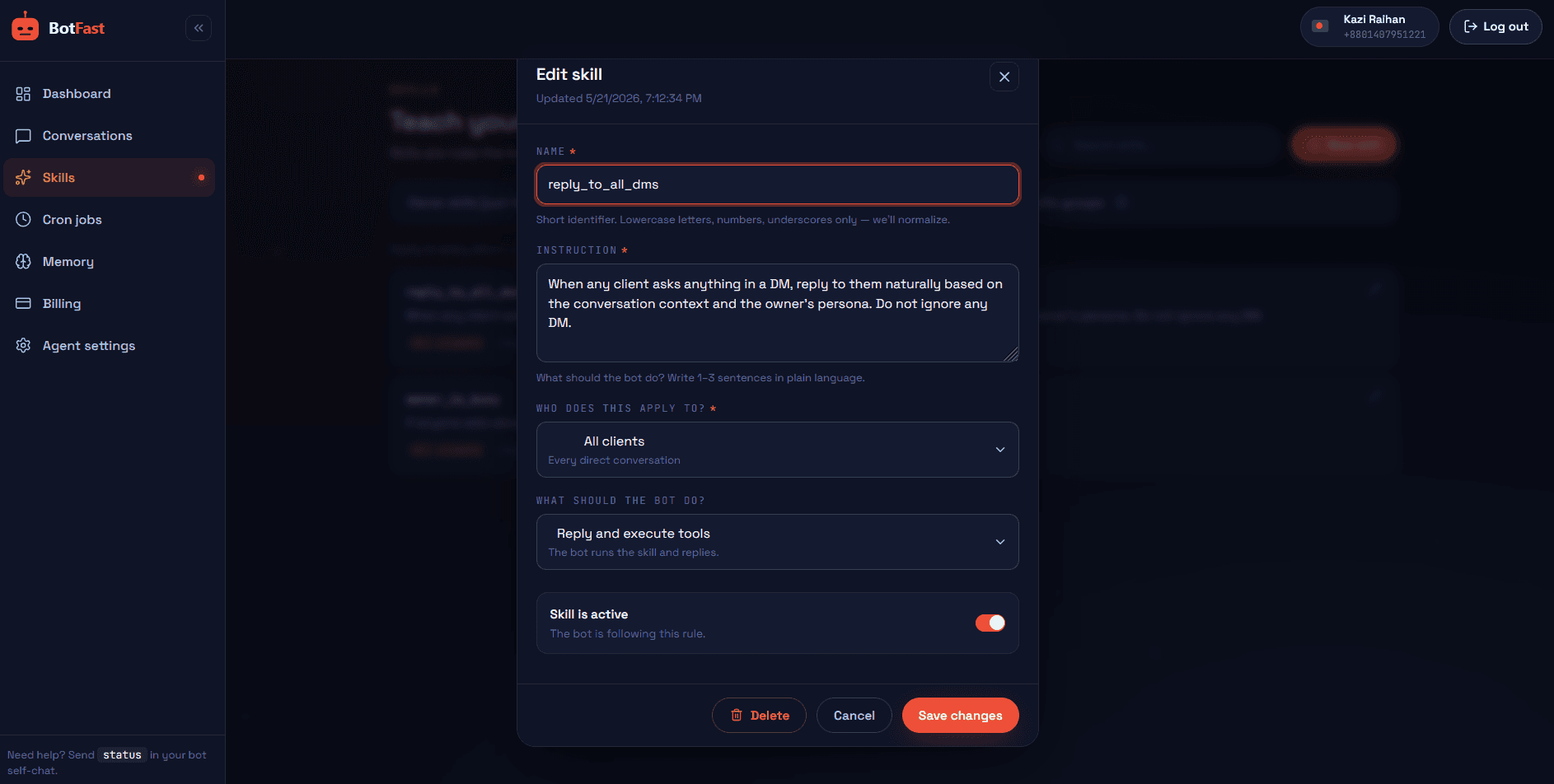
Dashboard → Skills → New — paste the skill, scope it to your group, save. Done
That’s the whole pipeline: number → QR → message → toggle → skill. The bot is now live in the group, from your number, following your instructions.
Removals: automate carefully
If your number is a group admin, the bot can remove members. Whether it should is a policy choice with real trade-offs:
| Policy | How it works | Trade-off |
|---|---|---|
| Flag-only (recommended) | Bot DMs you evidence; you remove with one command | ~30s slower per case; zero false-positive removals |
| Pre-approved triggers | Skill allows auto-removal for narrow patterns (e.g. link flood from a no-intro account) | Fast on obvious spam; rules must stay narrow and specific |
| Full auto | Bot removes on its own judgment | Not recommended — one bad removal in a community costs more than a hundred spams |
Most communities land on flag-only with one exception: brand-new accounts that post links before introducing themselves (the classic spam-bot signature). That narrow auto-remove rule catches the automated trash while every human case still gets a human decision.
Moderation that members actually like
- Post the rules once, publicly. The bot enforces what members knew — not invisible law. Link the rules in every welcome.
- Nudge like a member, not a mod. “Let’s keep this for startup talk 🙏” reads completely differently than “WARNING: off-topic message.”
- Escalation speed beats punishment. The win is you hearing about the 2am link storm at 2:01am, not harsher penalties.
- Watch the DM digest a week before tightening rules. You’ll learn what your group’s actual spam pattern is — every group’s is different.
- Pair with auto-welcome. The group management bot onboarding flow (welcome + rules + intro prompt) prevents most moderation cases before they exist.
Frequently asked questions
Does the bot read every message or only mentions?
For moderation it reads every message — that’s what the skill enables. It still speaks rarely; reading everything and saying almost nothing is the entire design.
Can it delete messages?
No — WhatsApp doesn’t let anyone (human or bot) delete other people’s messages. The bot’s toolkit is warn, caution, notify you, and (if admin + allowed) remove the member.
What about images — can it moderate those?
With media analysis enabled for the group it can see posted images, so “no promo posters”-style rules can cover images too. Most groups keep media analysis off unless they need it.
Will it slow the group down?
No — reading is free of the visible group; the only messages it adds are the rare nudges and your private DMs.
Can it moderate multiple groups with different rules?
Yes — one skill per group, one ruleset per group. Strict link policy in the investors group, relaxed vibes in the social group, same bot.