
Best WhatsApp Chatbot Tools in 2026 (Compared & Ranked)
The best WhatsApp chatbot tools in 2026 compared by price, features, and setup time. BotFast, Wati, Twilio, ManyChat, and more — honest breakdown.
There are dozens of WhatsApp chatbot tools on the market and almost all of them claim to be "the best." The honest answer is that the best tool depends entirely on who you are — a solo founder, a support team, or an enterprise sending millions of messages.
This guide compares the five most relevant WhatsApp chatbot tools in 2026 on the dimensions that actually matter: setup time, pricing, whether you need the Business API, AI quality, and integrations. The goal is to help you pick in ten minutes instead of ten hours.
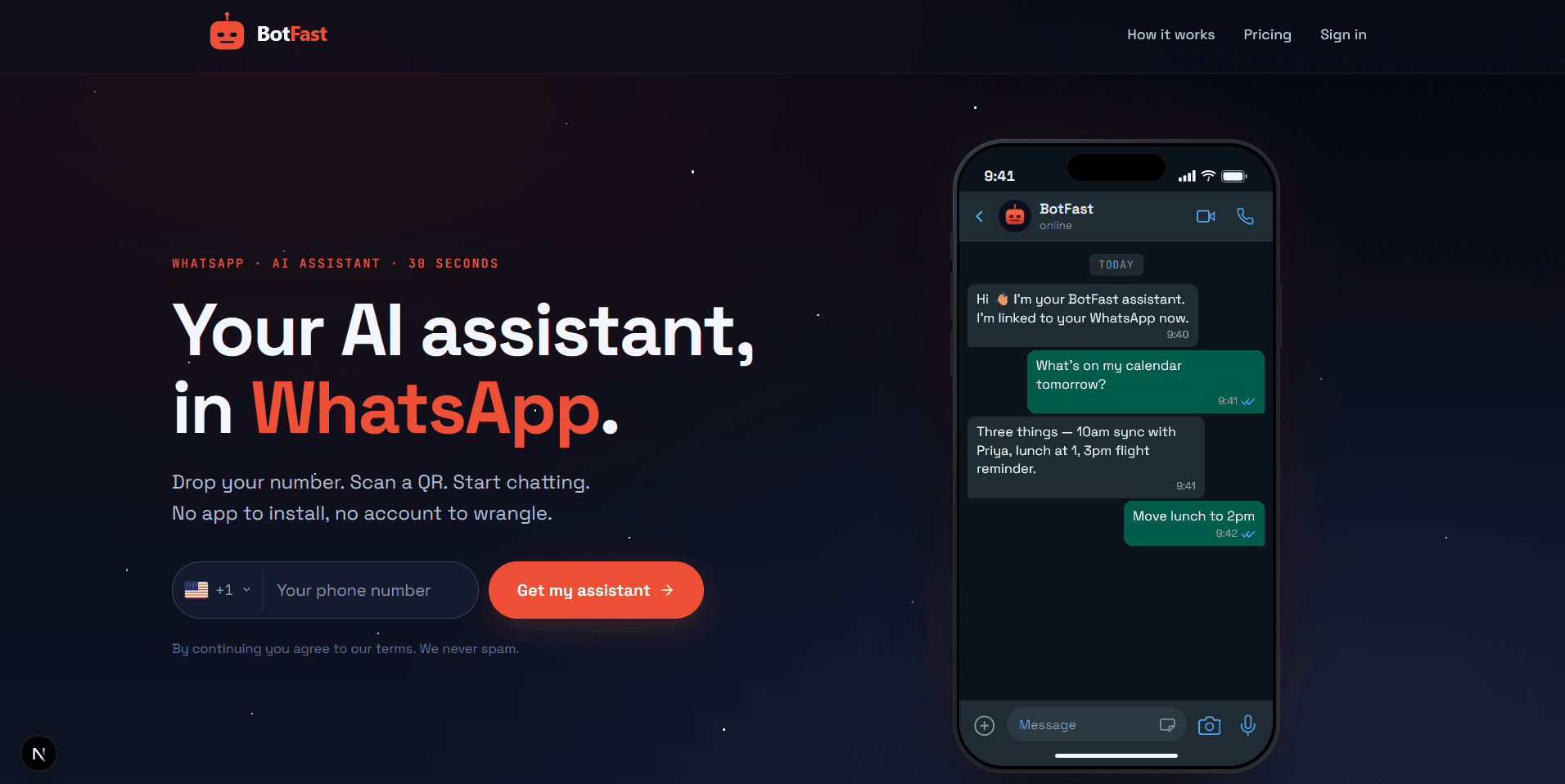
Most of the best WhatsApp chatbot tools offer a free trial — start there before committing to an annual plan
Watch a 1-minute build first
The shortlist
- BotFast — best for small businesses and founders who want AI replies + Google Workspace, no code, free trial.
- Wati — best for teams already on the WhatsApp Business API who want a shared inbox.
- Twilio — best for developers building a custom, high-volume WhatsApp backend.
- ManyChat — best for marketers running Instagram + WhatsApp funnels.
- Landbot — best for visual, drag-and-drop bot builders.
Feature comparison at a glance
| Tool | Setup | Needs Business API | AI replies | Google Workspace | Starting price |
|---|---|---|---|---|---|
| BotFast | 30 sec, no code | No (linked device) | Yes, built in | Yes | Free trial, then $9/mo |
| Wati | Hours, requires API | Yes | Add-on | Limited | ~$39/mo |
| Twilio | Days, developer work | Yes | DIY | DIY | Per-message |
| ManyChat | Minutes, visual | For WA features | Limited | No | ~$15/mo |
| Landbot | Minutes, visual | For WA features | Add-on | No | ~$39/mo |
Prices change — confirm on each vendor's site. For a deeper cost breakdown across approaches (not just tools), see our WhatsApp chatbot pricing guide.
BotFast — best no-code AI assistant
BotFast connects to your WhatsApp via the linked-device feature in under a minute and adds an AI assistant that replies to clients, books appointments, reads Gmail, manages your calendar, and runs scheduled tasks. You configure everything by chatting in plain English — no dashboards or flows to design.
Best for: freelancers, small businesses, solo founders, anyone who wants WhatsApp automation without technical setup. Watch out for: not designed for sending marketing broadcasts to thousands of recipients.
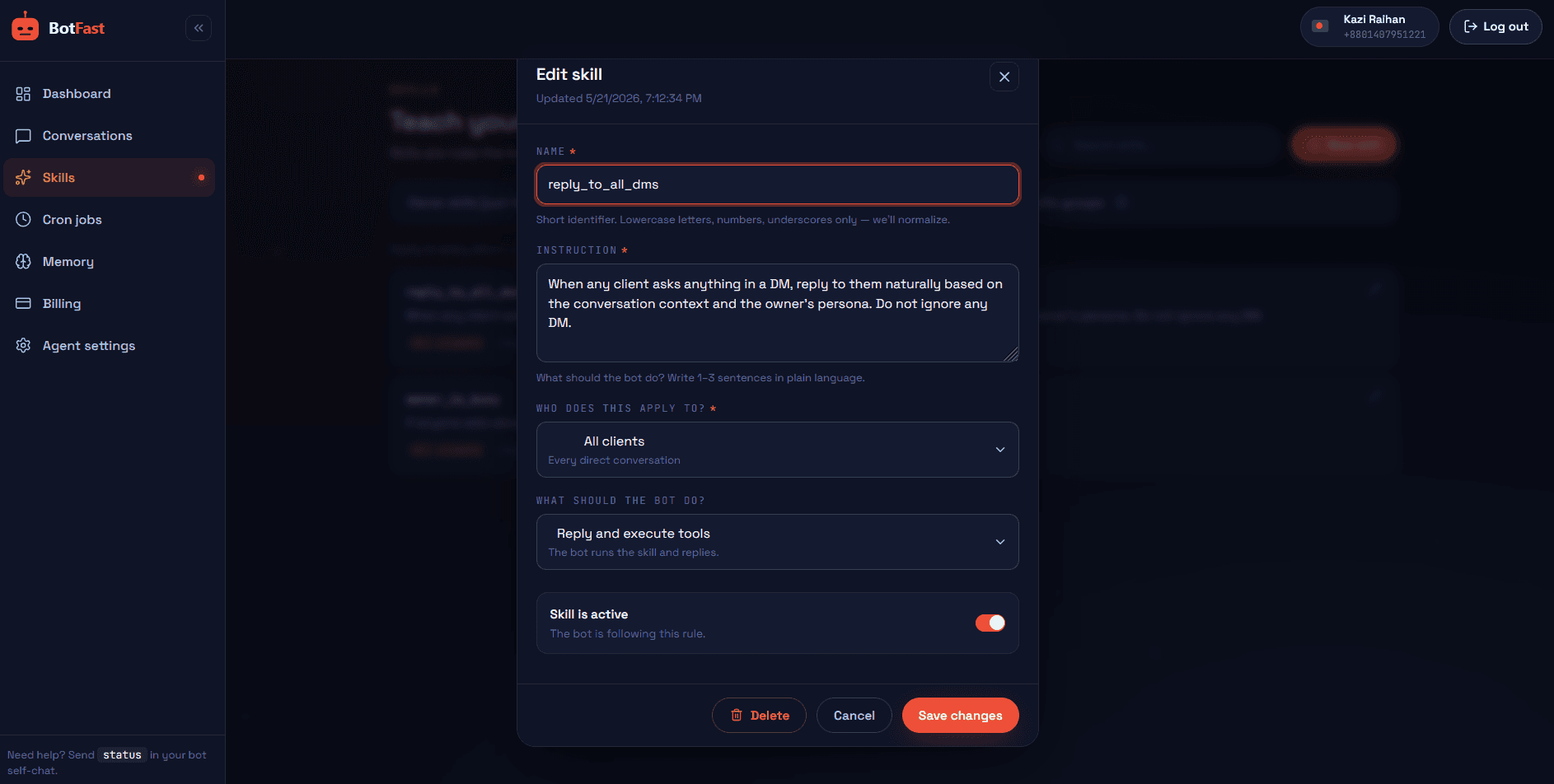
Skills are reusable instructions you switch on or off per conversation — no flow diagrams to maintain
The honest trade-off: BotFast trades raw broadcast power for speed and intelligence. Because it rides on the linked-device protocol, there is no Meta Business API approval, no per-conversation fee, and no template review — but that same design means it is the wrong tool if your core job is blasting promotional campaigns to opt-in lists of tens of thousands. It is built for genuine two-way conversation: answering questions, triaging inbound leads, booking meetings, summarising threads, and quietly running background jobs on a schedule. If that matches your workflow, the value-to-effort ratio is hard to beat, and the free trial lets you prove it on your own number before paying a cent.
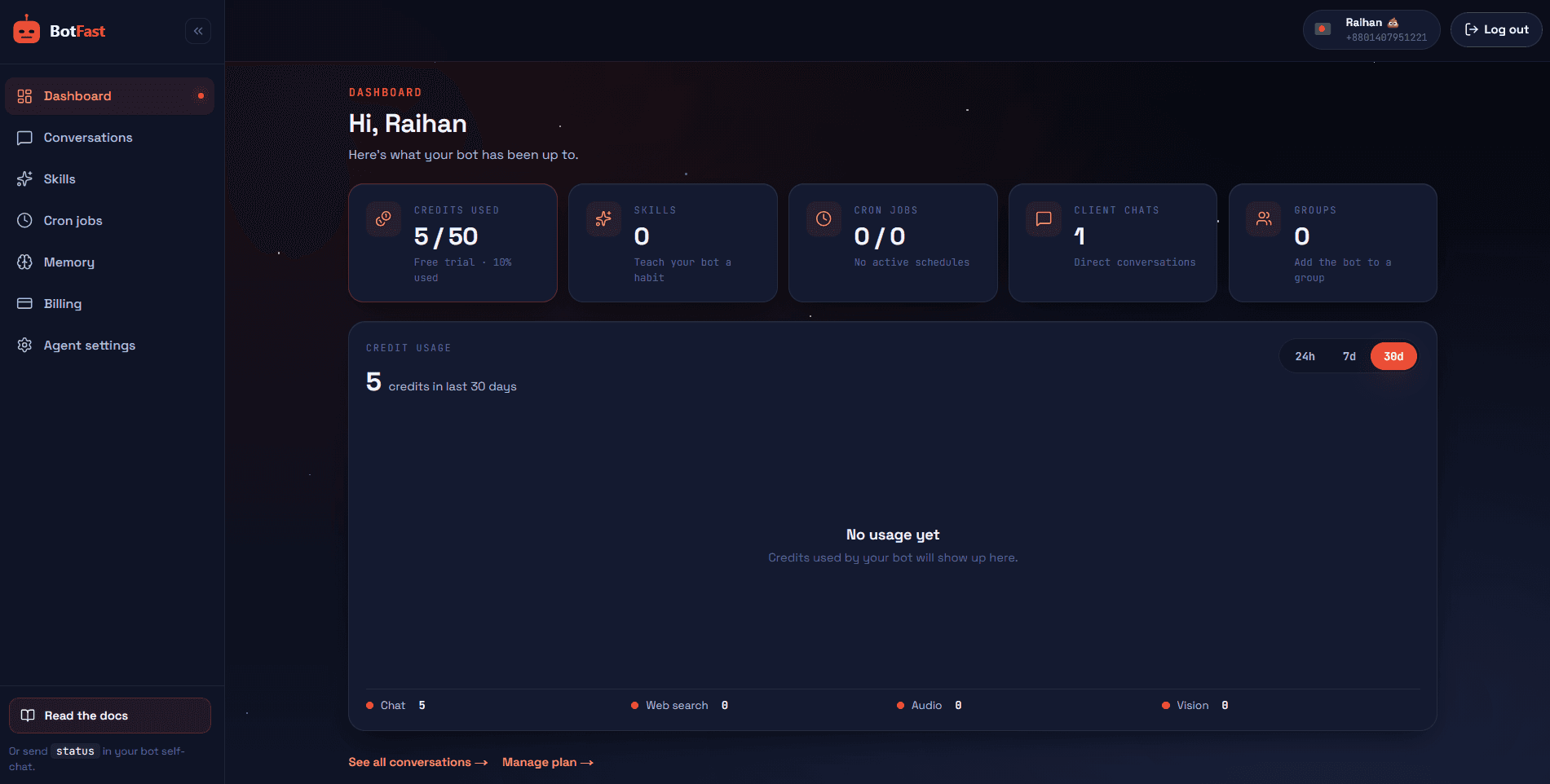
The BotFast dashboard puts conversations, skills, schedules, memory, and billing in one place
Wati — best for Business API shared inboxes
Wati is a solid team inbox built on the official WhatsApp Business API. It shines for support teams that need multiple agents on one number, template management, and analytics. The trade-off is the overhead of Business API approval and per-conversation pricing.
Best for: established support teams already approved for the Business API. Watch out for: higher starting price and slower setup than no-code linked-device tools.
Where Wati genuinely wins is operational maturity: granular agent assignments, shift routing, chat analytics, and template management that an operations lead can govern at scale. The cost is that you inherit the full Business API tax — per-conversation fees, template approval lead times, and a Meta verification process that can stall a launch by days. For a team already sending thousands of support messages a month with SLAs to hit, that overhead is the price of reliability. For a solo founder or a five-person shop, it is usually overhead you do not yet need. Pair this comparison with our WhatsApp chatbot pricing breakdown to model the real monthly bill before you commit.
Twilio — best for custom high-volume builds
Twilio's WhatsApp API is the infrastructure layer under many other tools. Use it if you have an engineering team and need precise control, custom routing, or massive throughput. It is not a product for end users — it is building blocks.
Best for: developers and enterprises with specific needs. Watch out for: you build everything yourself, from the bot logic to the dashboard.
The advantage is freedom: Twilio gives you a carrier-grade pipe with predictable delivery, global compliance, and throughput that no linked-device tool can match. The disadvantage is that "build everything" is literal — message templates, session handling, retry logic, opt-out management, analytics, and a usable agent interface all land on your roadmap. Realistically this means one or two engineers on the hook indefinitely, plus the per-message Business API fees on top. If your volume justifies it (think hundreds of thousands of conversations or regulated workloads), nothing else gives you this much control. If it does not, you are paying enterprise infrastructure prices to solve a small-business problem.
ManyChat — best for marketing funnels
ManyChat specializes in visual flow builders for Instagram Messenger and WhatsApp, aimed at marketers running campaigns and lead funnels. Strong for sequence automation; weaker for genuinely conversational AI replies.
Best for: marketing teams running multi-step campaigns. Watch out for: flow-based, so complex free-text conversations are not its strength.
ManyChat's strength is campaign velocity: you can stand up a lead magnet, a discount code drip, or an abandoned-cart sequence across Instagram and WhatsApp in an afternoon, with conversion tracking wired in. The weakness is depth — the flow paradigm assumes you can predict what users will say, so the moment a customer goes off-script with a nuanced question, the experience breaks down or falls back to a human. It also leans on the Business API for WhatsApp, which reintroduces template rules and per-conversation fees. If your job is acquisition and nurturing at the top of the funnel, ManyChat is excellent value; if you want a genuinely conversational assistant that handles open-ended support, look elsewhere.
Landbot — best visual bot builder
Landbot offers a polished drag-and-drop builder for conversational flows that can live on WhatsApp, web, or both. Great for structured journeys (onboarding, lead qualification) where you want to design every branch.
Best for: teams that want visual control over structured flows. Watch out for: AI add-on costs and less flexibility for open-ended conversation.
Landbot is the pick when "design every branch" is exactly what you want — onboarding wizards, qualification quizzes, multi-language lead capture, and web-to-WhatsApp handoffs all click together cleanly in the canvas. The pricing climbs quickly once you need the AI module, more seats, or higher-tier WhatsApp volume, and like the other Business API tools you inherit template approvals. It also shares the same fundamental limit as ManyChat: a flow you drew is only as smart as the branches you predicted. For structured, repeatable journeys it is a pleasure to work in; for fluid support conversations you will end up bolting on an AI layer that costs extra.
How to choose
Ask yourself three questions:
- Do I have a developer? If no, cross off Twilio. If yes and you want full control, it is a strong pick.
- Do I need marketing broadcasts or genuine AI conversations? Broadcasts/funnels → ManyChat. Conversational AI → BotFast.
- Am I already on the Business API? If yes, Wati is a natural fit. If not, a linked-device tool like BotFast skips the approval entirely.
Still unsure? The fastest path is to try the free option first. BotFast's free trial lets you test real AI replies, Google Workspace integration, and scheduling in a few minutes — start at botfast.co. For the build-it-yourself angle, our how to build a WhatsApp chatbot guide compares self-hosting vs SaaS in depth.
Decision framework by team size
The five tools above serve very different organisations. If you want a shortcut, map yourself onto the table below — it matches team size to the tool that most often wins in practice, and explains the "why" so you can sanity-check it against your own situation.
| Team size | Recommended tool | Why |
|---|---|---|
| Solo founder / freelancer | BotFast (Starter, $9/mo) | One person cannot afford setup overhead or per-conversation fees. You need a bot live in a minute, billed flat, that can also read Gmail and book meetings. No-code linked-device wins outright here. |
| Small team (2–10) | BotFast (Pro, $30/mo) or Landbot | Pro covers enough credits for shared use and scheduling. If your work is structured lead qualification rather than open chat, Landbot's visual builder can outperform — at the cost of Business API fees. |
| Mid-size (10–50) | Wati | Once multiple agents share a number with routing, shifts, and analytics, a dedicated Business API inbox earns its keep. The per-conversation fees are absorbed by ticket volume. |
| Enterprise (50+) | Twilio (often fronted by a custom app) | At this scale you need carrier-grade throughput, compliance, and full control over routing and data residency. Twilio is infrastructure; you staff engineers to build the product layer on top. |
These are defaults, not laws — a 200-person company running a single booking line can still be happiest on BotFast, and a sharp solo developer may prefer self-hosting. Use the row as a starting hypothesis, then pressure-test it with the criteria below.
Questions to ask before committing
Before you sign up for any annual plan, run the shortlist through these seven questions. They are the difference between a tool that fits and one you quietly stop using in three months.
- Total cost of ownership — What will the bill look like at 3× and 10× your current message volume? Add platform fees, per-conversation charges, AI add-ons, and seat costs together. The cheapest sticker price is rarely the cheapest real price; our WhatsApp chatbot pricing guide walks through the maths.
- Setup time — Can a non-developer go live this afternoon, or does it need Meta approval, template reviews, and a staging environment? Time-to-value is especially costly for small teams where the founder is also the operator.
- AI quality — Does it genuinely understand free-text questions, or only trigger on keywords and fixed flows? Ask for a live trial on your own real customer messages rather than a curated demo.
- Integration depth — Can it act inside your existing stack (Gmail, Calendar, CRM, sheets), or only pass data out via webhooks? Surface integrations matter; deep, two-way integrations that can do things matter more.
- Data ownership — Who holds your conversation history, and can you export it in a usable format? This determines how painful it is to leave later. See the migration section below.
- Support quality — When something breaks at the start of your peak season, do you get a human in hours or a ticket queue in days? Check the actual support tier your plan includes, not the enterprise page.
- Exit strategy — If the tool doubles its price or shuts a feature behind a higher tier, how fast could you move your number and history elsewhere? Lock-in is a cost you pay later, so price it in now.
Migrating between tools
Most buyers underestimate how sticky a WhatsApp chatbot tool becomes once it is live. The number itself is portable — you can move a WhatsApp number between the linked-device protocol and the official Business API, though Meta imposes a multi-day migration window and a cooldown during which some features are restricted. The bigger lock-in is your data: conversation history, contact lists, trained intents or flows, templates, and analytics. Some vendors export this cleanly as CSV or JSON; others make it deliberately awkward, which is exactly why the "exit strategy" question above is worth asking before you commit, not after.
A safer pattern is parallel testing rather than a hard cutover. Keep your current tool running on your main number, and spin up the new candidate on a secondary number (or a fresh linked-device session) for two to four weeks. Route a slice of real conversations — or a copy of them — through the new tool and compare reply quality, reliability, and the actual monthly cost against your invoice. The no-code linked-device route makes this trivially cheap to try: a BotFast free trial can run alongside an existing Wati or Twilio setup with zero risk to your production line.
When you do cut over, sequence it: export contacts and any reusable templates first, migrate during your lowest-traffic window, and keep the old account live for a fortnight as a fallback. Document where each integration (Gmail, CRM, scheduler) is wired so you can reconnect them on the new platform without rediscovering the setup from scratch. For a structured walkthrough of standing up a new bot cleanly, our how to build a WhatsApp chatbot guide covers the full sequence.
Frequently asked questions
What is the best WhatsApp chatbot tool in 2026?
For no-code AI with Google integration and a free trial, BotFast. For enterprise teams on the Business API, Wati or Twilio.
Which WhatsApp chatbot tools are free?
BotFast has a free trial with credits and no card. Self-hosting Baileys is free but needs a server and dev time. Most SaaS tools have no free tier.
Do they require the Business API?
Not all — BotFast uses linked devices and works on any number. Wati and Twilio use the Business API, which needs Meta approval.
Can I use ChatGPT inside these tools?
Yes — BotFast and several others plug in GPT-class models. See our WhatsApp GPT bot guide.